The biggest GGUF file is not automatically the best choice. A better quant is the one that preserves enough quality while leaving enough memory for the model to run comfortably.
Download a popular local LLM and you may find half a dozen GGUF files: Q4_K_M, Q5_K_M, Q6_K, Q8_0 and more. They all contain the same model, so why can one file be almost twice the size of another?
Quantization stores the model’s weights with less precision. The result is a smaller model that needs less RAM or VRAM. The trade-off is that stronger compression can discard more information.
For most people, the useful choice is much simpler than the list of file names makes it look.
Move to Q5_K_M when the extra memory does not force compromises elsewhere. Q8_0 is usually a luxury rather than a requirement.
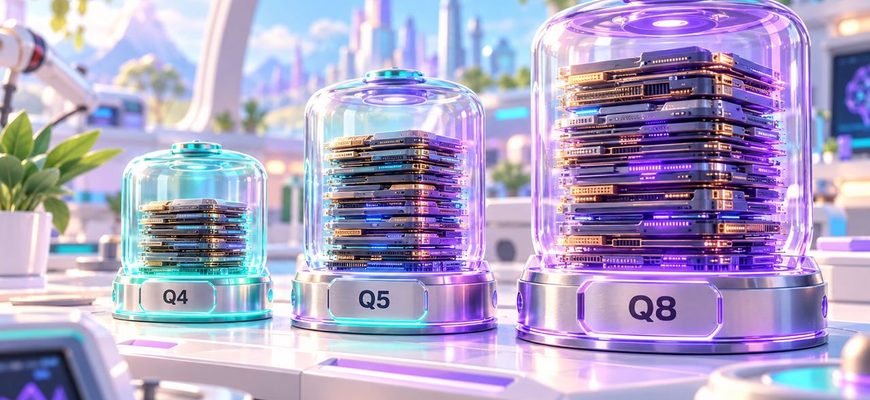
What actually changes from Q4 to Q5 to Q8?
The number is a rough clue to how much precision is being kept. Higher precision means a larger file and usually less quantization error.
But names such as Q4_K_M do not mean every single weight is stored with exactly four bits. K-quants use block quantization, and the M variant uses a mixed strategy that keeps some important tensors at higher precision.
In practical terms, you can think of the three common choices like this:
| Quant | Memory use | Quality loss | Best use |
|---|---|---|---|
| Q4_K_M | Low | Noticeable in some workloads, usually modest | Everyday local inference and limited VRAM |
| Q5_K_M | Medium | Lower | When Q5 fits comfortably |
| Q8_0 | High | Very small | Large memory budgets, testing and quality-sensitive use |
How much larger is Q5 or Q8 in practice?
One current llama.cpp reference using Llama 3 8B gives a useful sense of scale. The exact file size changes from model to model, but the difference between the quant levels is the important part.
In that example, moving from Q4_K_M to Q5_K_M costs about 16% more model memory. Moving all the way from Q4_K_M to Q8_0 costs roughly 74% more.
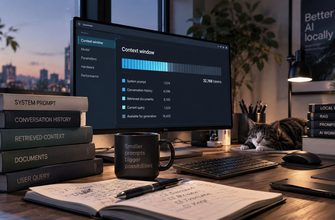
That is why Q8 can be a poor trade on a small GPU. The quality difference may be small for your workload, while the extra model memory can leave much less space for context, KV cache and other runtime allocations.
Will you actually notice the quality difference?
Sometimes. But it is rarely as dramatic as the file sizes suggest.
Q4 loses more information than Q5, and Q5 loses more than Q8. That is real. What is less predictable is whether the difference matters for your prompts.
Simple chat, summarization and ordinary writing can look extremely similar across good Q4 and Q5 builds. Hard reasoning, coding edge cases, exact formatting or unusual knowledge may expose differences sooner.
The important point is that quantization quality is not a switch between “good” and “bad.” It is a gradual trade.
If Q8 leaves almost no free VRAM, the supposedly higher-quality quant may force CPU offloading, shorter context or a smaller model. In that case, Q4 or Q5 can produce the better overall setup.
Is Q4 always faster than Q5 or Q8?
No. Smaller quants move fewer bytes through memory, which can help on memory-bandwidth-limited hardware. But inference speed also depends on the backend, GPU or CPU kernels, model architecture and the cost of dequantization.
So the useful rule is not “lower bits always means higher tokens per second.” The safer rule is: smaller quants reduce the memory workload, but benchmark your actual machine if speed matters.
Which one should you choose?
This is the first quant I would try on an 8GB, 12GB or otherwise memory-constrained setup.
If moving to Q5 still leaves healthy memory for context, it is an easy way to reduce quantization loss.
Use it when you have abundant RAM or VRAM, need a high-precision quantized reference, or have tested that the difference matters.
A bigger model at Q4 or a smaller model at Q8?
This is where people often spend their memory in the wrong place.
If the choice is between a smaller model at very high precision and a meaningfully more capable model at a good Q4 quant, the larger model can often be the more useful option. Quantization preserves an existing model; it does not give a smaller model the capabilities of a larger one.
That is not a universal law. But when planning a fixed memory budget, model class usually deserves attention before squeezing out the last bit of quantization precision.
What does the “K_M” part mean?
K refers to the K-quant family used by llama.cpp. M means the medium mixed variant. It does not simply apply one precision level to every tensor.
That is why comparing only the first number can be misleading. Q4_K_M is a more specific format than simply saying “four-bit model.”
The practical answer
If you do not know which GGUF to download, start with Q4_K_M.
If it fits easily and still leaves good memory headroom, try Q5_K_M.
Move to Q8_0 when you have a reason to pay the much larger memory cost — not simply because eight is a bigger number.
The best quant is not the largest file your computer can barely load. It is the one that gives you the best model while leaving the rest of the system enough room to work.
FAQ
Is Q5_K_M noticeably better than Q4_K_M?
It has lower quantization loss, but how visible that is depends on the model and workload. For many everyday prompts the difference can be subtle; difficult reasoning and precision-sensitive tasks may expose it more clearly.
Is Q8_0 basically lossless?
It still uses quantization, so it is not literally identical to the original floating-point weights. In practice it retains much more precision than Q4 and usually introduces very little quantization error.
Does a 5GB GGUF need exactly 5GB of VRAM?
No. The model weights are only part of the memory budget. Context, KV cache, buffers and runtime allocations also need memory.
Should I choose Q6_K instead of Q5_K_M?
Q6_K is another useful step between Q5 and Q8. If Q5 fits easily and you still have plenty of memory, Q6 can be worth testing before jumping all the way to Q8.
What is the safest GGUF quant to download first?
Q4_K_M is usually the most practical starting point. It gives a strong balance between model size and retained quality without consuming the memory required by Q8.