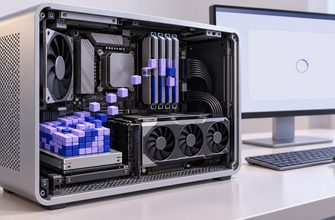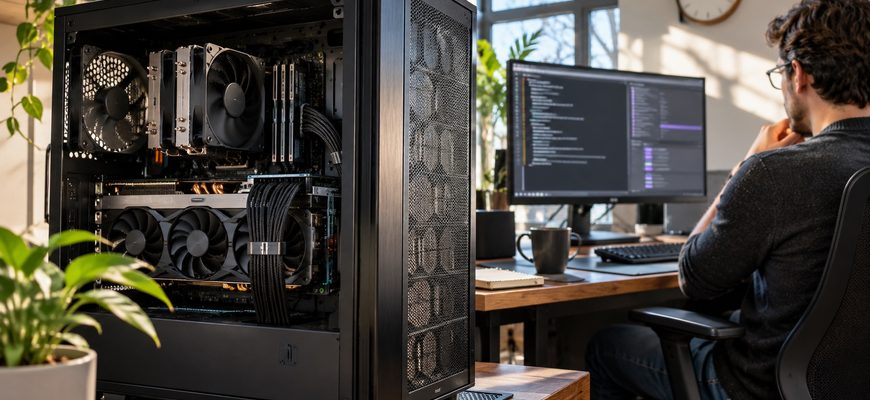
A gaming PC can run a local AI agent around the clock—but leaving the computer switched on is only the beginning. The model must fit the available memory, the runtime must remain reachable, the operating system must not suspend the work unexpectedly, and the agent must survive tool errors without repeating destructive actions. A fast GPU makes individual responses quicker; it does not supply the rest of those guarantees.
There is also a useful distinction between an AI model answering occasional prompts and an agent expected to perform tasks over hours or days. The first can be a local inference service. The second needs a scheduler, state management, permission boundaries and a way to recover when something breaks. Neither the local model nor its GPU necessarily needs to calculate continuously while the system is waiting for the next job.
What “running all day” actually means
At least three states are involved. The computer can be powered on while the model has been unloaded from GPU memory. The model can be resident in VRAM while no tokens are being generated. The agent can be logically “on duty” while it is waiting for a timer, email or other permitted trigger, without occupying the GPU at all. These states have different performance, thermal and electricity consequences.
The Ollama FAQ documents model residency controls through keep_alive and OLLAMA_KEEP_ALIVE. A model remaining loaded in memory is not equivalent to continuous inference. Conversely, unloading the model can make the next request slower because weights have to be loaded again. IL.DIGITAL’s examination of local model loading time shows why the first response after a quiet period has costs that later responses may avoid.
So a desktop that serves two scheduled jobs per day may spend most of its hours idle. A desktop asked to process a constant stream of long conversations has a very different utilization and cooling profile. The words “24/7 AI agent” do not describe workload intensity.
The GPU is only one of the limits
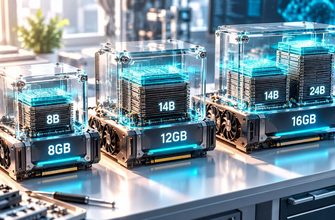
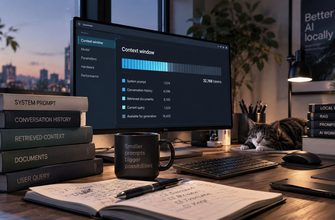
A local inference runtime needs enough VRAM or system memory for the model weights and its working state. Longer conversations use a key-value cache that grows with context length, and some workloads require additional temporary buffers. A model that fits initially can still run out of memory as the context window grows. Our guide to long-context VRAM exhaustion examines that boundary in detail.
An agent may also run external tools: opening a local file, querying a database, running a browser automation or waiting for a response. Those tools impose CPU, disk, network and process-management demands that raw GPU specifications do not capture.
For a single user asking questions occasionally, a consumer GPU and an adequate cooling case can be sufficient. For many concurrent requests, larger models or prolonged batch work, the bottleneck can shift to memory capacity, bandwidth, heat, storage or even the reliability of a home internet connection. The fact that a workstation contains a premium gaming GPU does not turn it into a redundant server.
When Windows sleeps, the agent is not necessarily working
Desktop operating systems favor power saving and interactive use. If a machine sleeps, local inference services and scheduled workflows can be suspended or unable to receive new network requests. Waking behavior depends on the operating system, configured wake timers, background privileges and hardware. Microsoft’s Windows guidance on sleep and hibernation explains those different power states.
Restarts matter just as much. System updates, GPU driver faults, accidental shutdowns and full disks interrupt a process regardless of the model’s quality. A reliable setup needs an intentional auto-start path for the inference service and scheduler, persistent task state where necessary, and a check that services restart correctly after a reboot. Merely opening a model chat interface on the desktop does not create a background agent.
| Layer | Question to answer | Typical consequence of failure |
|---|---|---|
| Power and OS | Does the computer remain awake and restart predictably? | Queued jobs are missed or postponed. |
| Inference runtime | Can the service load the selected model when requested? | Slow first response or an inference error. |
| Agent scheduler | What triggers the next action and records its outcome? | Nothing runs, or a completed step is retried. |
| State storage | What survives process crashes or restarts? | Context or task progress may be lost. |
| Tool permissions | What files and accounts may the agent actually modify? | Unintended access or damaging actions. |
| Monitoring | Who notices an agent that is stuck but not visibly crashed? | Failures remain silent until someone checks. |
The electricity cost is mostly a question of time
AI inference power is often discussed at full GPU load, but a 24-hour machine has far more idle hours when the workload is intermittent. A useful planning estimate separates active and idle power measured at the wall, not just the GPU board’s rated wattage. Screen, CPU, GPU, fans, power supply losses and attached peripherals all affect whole-system consumption.
Both power values are deliberately hypothetical. This assumes the entire PC remains on every day and includes no separate monitor or UPS draw. Multiply the 30-day figure by the electricity rate on your actual bill to estimate a comparable cost. This is electrical energy, not GPU compute time.
A machine that performs the same two hours of work and then powers down would have a different energy budget, but it would no longer be immediately available for every trigger. Conversely, a model held resident in VRAM may reduce loading delay without achieving the lowest possible idle draw. These are service-level and energy trade-offs, not universal reasons to prefer one runtime setting.
The security boundary moves from the cloud to your desk
Running inference locally changes where data is processed, but an agent still operates with the permissions of its tools. If it can read browser credentials, edit folders or send email, errors in task interpretation can have real effects. Restrict the process to the files and accounts it actually needs; separate high-risk operations behind explicit review; keep the service bound to a trusted interface unless remote access is intentionally secured.
Ollama’s official configuration FAQ describes the host binding used for network access. A local API intended for a single user should not be made publicly reachable just to use it from another room.
The recovery path also needs care. If an action succeeds but the agent loses the response, restarting the workflow may repeat it. IL.DIGITAL’s article on mid-task agent crashes explains how checkpoints and idempotent actions limit duplicate side effects. Recovery and permission controls matter more to a persistent agent than benchmark tokens per second alone.
When a gaming PC is the right machine
For a personal assistant doing periodic document work, local search, scheduled summaries or short coding jobs, a carefully configured desktop can be sensible. It provides physical control over the machine and may reuse hardware you already own. It is especially useful when occasional missed availability is tolerable and someone can maintain the system.
For a service with external customers, strict uptime requirements, high simultaneous demand or actions that must run even during a home outage, the architecture should account for redundancy, backups, monitoring and controlled failover. The limiting factor is not a stigma attached to consumer hardware. It is the gap between a useful desktop and a system whose operations, state and recovery are engineered for continuity.
A gaming PC can stay on all day. A dependable local AI agent needs more: an awake host, enough memory, a managed runtime, durable state, bounded tool permissions and a plan for the next restart. When those pieces are explicit, the choice of GPU becomes a solvable engineering detail rather than the whole answer.