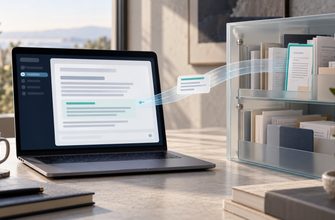
A permission named “compose” sounds like permission to prepare a message. In Gmail’s API, it also authorizes sending. That small detail matters if you want an AI assistant to read your inbox and help with replies while you keep the final say over what leaves your account.
Reading and sending are separate capabilities, but an app can bundle them into one connection. What stops an agent from sending is the combination of the mail permissions it holds, the operations its software exposes, and any approval rule enforced before delivery. A sentence in its instructions saying “always ask first” does not establish that boundary.
For anyone connecting a work mailbox to an agent, the useful question is therefore specific: which part of the system will refuse an unapproved send request, even if the model asks for it?
The permission behind “draft only”
Mail integrations commonly use OAuth, which lets an application access an account under a defined grant of permissions without receiving your password. These permissions are called scopes. Google’s Gmail scope reference separates reading with gmail.readonly from sending with gmail.send, but also lists broader scopes that include sending.
| API permission | Relevant capability | Authorizes sending? |
|---|---|---|
Gmail gmail.readonly |
Read messages and settings | No |
Gmail gmail.compose |
Manage drafts and send mail | Yes |
Microsoft Graph Mail.ReadWrite |
Read and change mail, including drafts | No, by itself |
Microsoft Graph Mail.Send |
Send mail | Yes |
For Gmail’s standard draft-creation API, the accepted scopes all include sending authority. An app that saves drafts into Gmail therefore needs an additional software restriction if it promises never to send them. Generating reply text inside the assistant, without saving a mailbox draft, avoids that particular requirement.
Microsoft Graph draws a different boundary: creating a draft requires Mail.ReadWrite, while sending a message requires Mail.Send. Read-and-write access still permits consequential mailbox changes. It simply does not supply the separate sending permission.
These are API capabilities, rather than a description of every assistant’s settings. Check the permissions actually granted to the integration, including other connections it uses. A product label such as “email assistant” tells you very little about that grant.
A model proposes the reply. Software sends it.
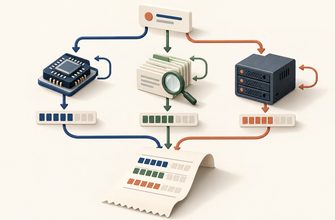
In a tool-based integration, the model produces a request for an operation, such as searching messages or sending a reply with a particular recipient and body. Application software executes the request using stored credentials. That separation, explained in our article on how AI agents use tools, gives developers a place to enforce a decision the model cannot overrule.
A useful design gives the reading component only the access it needs and keeps sending behind a separate service. If Gmail drafts require a send-capable credential, that credential can stay inside a restricted backend rather than becoming available to general agent tools. The backend must enforce which operations are allowed.
Read the permitted messages.
Produce proposed recipients, reply text and attachments.
Reader credential: no send permission. Reply text stays in the application.No approval: no send request.
Approval applies to the exact reviewed version.
The sender service validates approval and submits the message to the mail provider.
Sender credential: isolated from the agent’s general tools.Removing a tool named “send email” is insufficient if another available tool can make arbitrary web requests with the same credentials. A browser session already signed into mail is another possible sending route. The restriction has to cover every route the agent can actually use.
An incoming email is someone else’s text
An assistant must read messages written by people outside your organization. Those messages can contain instructions addressed to the assistant itself. If the model follows them instead of treating them as material to analyze, an ordinary inbox becomes a route for indirect prompt injection.
OWASP’s Excessive Agency guidance describes exactly this scenario: a mailbox assistant receives a malicious message that attempts to make it find sensitive information and forward it elsewhere. This is a published attack scenario, rather than evidence that a particular inbox has been compromised.
A read-only mail credential does not gain sending permission because an email requests it. However, protecting the mail-sending route does not control every destination for information the assistant reads. Other connected tools and external services need their own access rules. OWASP recommends restricting both tool functionality and downstream permissions, with approval enforced outside the model for high-impact actions.
What exactly did the person approve?
Approval needs to refer to a concrete message. “May I handle this conversation?” leaves too much unspecified. The review should show the sending account, full To, Cc and Bcc addresses, subject, body and attachments. Display names alone hide the destination that matters.
Consider an illustrative supplier workflow. An agent reads a delivery update and prepares a reply asking for a revised date. It saves the proposed message in the application with a version identifier. The reviewer sees one supplier address and no attachments, then approves that version.
If a later step adds a pricing spreadsheet or changes the recipient, the previous approval should no longer authorize sending. The sender service should reject the changed version and request a fresh review. The system retains the reviewed content, the approval record and the send outcome, so an operator can establish what was authorized and what happened.
This is an implementation recommendation, not a claim that every approval interface provides those guarantees. n8n’s human-review feature, for example, pauses selected agent tool calls and lets a reviewer approve or deny execution. Its documentation exposes the tool name and AI-supplied parameters for review. The workflow builder still has to configure which tools are gated and what the reviewer can see.
Approval also leaves a separate delivery problem: a send request can succeed even when its confirmation is lost. Before automatically trying again, the application needs to resolve that uncertainty; otherwise an agent retry can create a duplicate message.
Ask where an unapproved send is refused
For an inbox summarizer, a read-only connection is a clear starting point. For a reply assistant, distinguish text generated in the app from drafts saved into the mailbox. For an agent allowed to send, look for an enforced review step or a narrowly defined sending policy.
A useful demonstration uses a test mailbox: deny a send request and inspect the execution record. The sender operation should remain blocked. Change the recipient after approval and verify that the old approval no longer applies. These checks examine the software boundary, rather than the assistant’s ability to repeat its instructions.
The decisive answer should name the component that refuses the operation: the mail provider, a restricted tool backend or the approval service. If the only answer is “the agent knows to ask,” control over sending still depends on the model making the expected choice.
Sources
- Google: Gmail API authorization scopes and draft-creation requirements.
- Microsoft: Create a draft message and sendMail permissions and behavior.
- OWASP: LLM06:2025 Excessive Agency.
- n8n: Human-in-the-loop for tools.