- The model works outside the computer it controls
- What happens between two commands
- A saved computer and a saved workflow preserve different things
- An example: the file is ready, but the user has not decided
- From a processed CSV to an approved export
- Restoring local state does not settle external uncertainty
- Where the resource saving comes from
- Sources
An AI agent has finished processing a file. It asks you which result to export, and you leave the conversation open while you decide. The task still exists, but its execution computer may have nothing left to run.
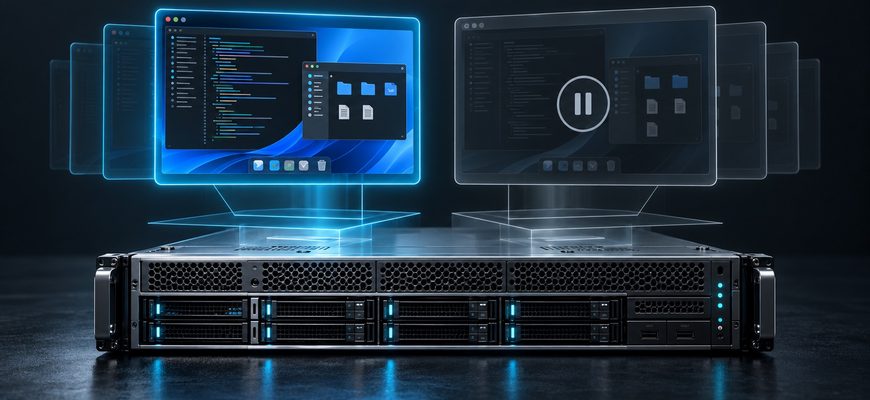
Google’s Agent Compute Engine can pause that virtual computer and restore it when another command arrives. The working environment survives the gap between actions.
Google announced the service on October 22, 2026. It already supports workloads inside Google; a public preview is planned for the coming months.
The model works outside the computer it controls
Google separates the agent’s orchestration software, called the harness, from the sandbox that executes commands. The harness calls the model and manages the task. The sandbox provides the working computer.
That computer runs inside a small, hardware-isolated virtual machine, or microVM. The model can generate its next response elsewhere while the execution environment is paused.
This is the same boundary explained in our guide to how AI agents actually use tools: the model requests an action, and software executes it.
What happens between two commands
According to Google’s technical deep dive, the sandbox signals when no active commands or background tasks remain. The host can then checkpoint the environment and restore it for a later tool call.
The model produces the next response. The orchestration software manages user input and sends tool commands.
Execution environment lifecycle
-
Execute the command
The virtual computer runs code or another requested tool operation.
-
Save state and pause
Once commands and background tasks finish, the host checkpoints the environment.
-
A new command arrives
The orchestration software requests another operation in the paused environment.
-
Restore and continue
The environment resumes from its saved state to execute the next command.
The important condition is that execution work has finished. A low CPU reading alone cannot establish that an environment is ready to suspend.
A saved computer and a saved workflow preserve different things
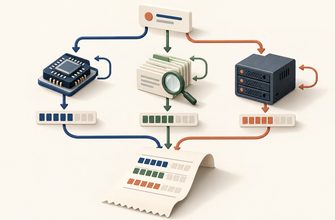
A machine snapshot preserves an execution environment. A workflow checkpoint records application progress. Depending on the system, either may help work continue, but their contents and recovery boundaries differ.
Google’s ADK tutorial on long-running agents demonstrates explicit workflow state stored persistently, with external events triggering continuation.
| Question | Virtual machine snapshot | Workflow checkpoint |
|---|---|---|
| What is saved? | Machine execution state, including memory where supported. Disk state and storage are handled by the platform’s persistence design. | Recorded application data, completed steps, pending work and relevant results. |
| How does work continue? | The platform restores the environment from its saved state. | The application loads recorded progress and continues from a supported workflow boundary. |
| Does it preserve a running process? | A memory-inclusive snapshot can preserve process state. | Not necessarily. A new process can reconstruct work from stored records. |
| What about external actions? | Restoration alone does not establish whether an external action completed. | Only recorded outcomes are known; uncertain actions still need reconciliation. |
The comparison describes general mechanisms, not a guarantee for every platform. For failure scenarios, see what happens when an AI agent crashes halfway through a task.
An example: the file is ready, but the user has not decided
From a processed CSV to an approved export
- Process the file. An agent reads a sales CSV, checks its columns and creates a regional summary. It saves an intermediate result in its workspace.
- Ask for a decision. The agent asks whether you want every region or only selected ones. Its file-processing command has finished.
- Wait with the environment preserved. With no active commands or background tasks remaining, the environment can be checkpointed and paused.
- Receive the answer. You choose two regions. The orchestration software turns that decision into the next tool command.
- Resume and export. The environment is restored. The next command uses the saved intermediate result to create the requested file.
Illustrative workflow, not a reported Google demonstration or benchmark. File retention and recovery depend on the platform’s storage and lifecycle guarantees.
For this example, the useful acceptance test is concrete: does the exported file contain the selected regions, and can the intermediate result be reused after the pause?
Restoring local state does not settle external uncertainty
Now imagine that the next command sends the report to a remote service. The service accepts it, but the confirmation is lost.
Restoring the caller cannot, by itself, prove whether delivery succeeded. Before repeating the action, the workflow needs to check its outcome or use duplicate protection supported by the receiving service.
That is the problem behind AI agents repeating actions after a timeout. A preserved environment and a reliable record of external effects serve different purposes.
Where the resource saving comes from
Keeping a dedicated execution computer active throughout a user’s decision reserves resources during a gap in useful work. Pausing it creates an opportunity to reclaim active capacity while retaining a restorable environment.
Google also describes copy-on-write sharing of common memory content across agent environments. Shared starting material and idle suspension address different sources of resource overhead.
For a real deployment, evaluate the whole lifecycle: active execution, retained storage, checkpoint overhead and the delay before useful work resumes. The practical question is whether your task continues correctly and responsively after its waits.