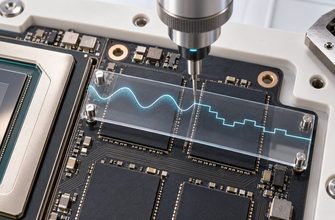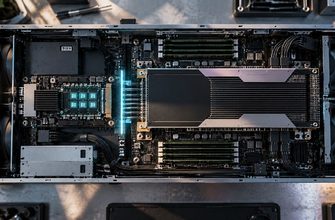
A 16-core CPU can load a quantized local LLM, show activity across many cores, and still generate text much more slowly than expected. Adding threads may help at first. Then the gains shrink. Eventually, another four or eight threads barely change tokens per second.
The processor may not be short of arithmetic power. It may be waiting for model weights to arrive from RAM.
This is one of the most important distinctions in CPU-based local inference: having enough RAM to hold a model is not the same as having enough memory bandwidth to feed it quickly.
Once generation becomes bandwidth-bound, core count alone stops being a useful predictor of performance. Memory channels, memory speed, quantization and the amount of model data moving through the system start to matter just as much.
- RAM capacity determines whether a model can fit; memory bandwidth influences how quickly its weights can reach the CPU.
- More CPU threads help only while the rest of the system can keep those threads supplied with data.
- Single-stream token generation can be especially sensitive to memory bandwidth.
- Memory channels matter because they determine part of the physical path between RAM and the processor.
- The most useful test is to benchmark generation while changing thread count and keeping the model fixed.
- Why more CPU cores do not guarantee more tokens per second
- RAM capacity and memory bandwidth solve different problems
- RAM Capacity
- Memory Bandwidth
- What happens when the CPU generates a token
- Why token generation can become bandwidth-bound
- Think of the CPU as workers behind a loading dock
- Why adding threads eventually stops helping
- Run a thread sweep instead of guessing
- Memory channels determine how wide the road can be
- More Cores
- More Memory Bandwidth
- More RAM sticks do not automatically mean more bandwidth
- Quantization can reduce bandwidth pressure too
- When memory bandwidth is not the main problem
- What your benchmark result is telling you
- Generation keeps getting faster as you add threads
- Generation rises and then reaches a plateau
- Prompt processing scales, but generation does not
- More threads actually make generation slower
- The model fits comfortably in RAM but remains slow
- How to test your own machine
- Do not calculate expected tokens per second from theoretical RAM bandwidth alone
- What matters when choosing CPU hardware for local AI
- The number of cores is only half the machine
Why more CPU cores do not guarantee more tokens per second
Processors are usually compared by core count, thread count and clock speed. Those specifications matter, but every CPU core has the same basic requirement: it needs data before it can calculate.
A local LLM contains billions of numerical weights. Once the model has been loaded, those weights reside primarily in memory and are repeatedly accessed as inference moves through the transformer.
During autoregressive generation, the model produces one token, updates its state and performs another forward pass to produce the next. The model is not being reread from the SSD for every token, but large quantities of weight data still have to move through the memory hierarchy.
If the processor becomes capable of consuming that data faster than RAM can supply it, additional CPU compute does not widen the memory interface.
More threads simply begin competing for the same finite path to memory.
RAM capacity and memory bandwidth solve different problems
Imagine that your quantized model requires tens of gigabytes of memory. The first question is whether the machine has enough physical RAM for the weights, KV cache, runtime allocations, operating system and other processes.
That is a capacity problem.
Once everything fits, a second question appears: how quickly can the processor retrieve the model data required to keep generating tokens?
That is a bandwidth problem.
RAM Capacity
Determines whether the model, context and runtime allocations can remain in physical memory.
Memory Bandwidth
Influences how much data the memory subsystem can deliver to the processor over time.
A machine can therefore have 64 GB, 128 GB or more RAM and still deliver modest CPU inference speed.
Large capacity lets you load a larger model. It does not guarantee that those gigabytes can be moved through the processor quickly.
What happens when the CPU generates a token
The real memory hierarchy includes caches, memory controllers and other layers, but the relationship can be simplified into four physical stages.
The loaded quantized model occupies system memory.
DDR channels carry model data toward the processor.
Inference kernels consume the weights and perform the required operations.
The process repeats as autoregressive generation continues.
CPU caches reduce some memory traffic, but useful local LLMs can contain gigabytes or tens of gigabytes of weights—far more than ordinary processor caches can hold.
That makes system memory part of the active inference engine. RAM is not simply a container where the model waits after loading.
Why token generation can become bandwidth-bound
Prompt processing and token generation are not identical workloads.
When a runtime processes many prompt tokens, it can perform larger operations with more opportunity to use the CPU’s arithmetic resources efficiently.
Autoregressive decoding is different. In a normal interactive conversation, the model usually advances one new token at a time.
That can leave relatively little computation to amortize the movement of a large set of model weights. The relationship between bytes moved and arithmetic performed becomes increasingly important.
rough generation ceiling ≈ effective memory bandwidth ÷ bytes moved per generated token
This is a mental model, not a formula for predicting exact tokens per second.
The amount of data actually transferred is not necessarily equal to the model file size. Quantization, caches, kernels and model architecture all affect memory traffic. Advertised RAM bandwidth is also different from the bandwidth an inference workload actually achieves.
But the model explains the physical constraint: if the processor needs model data faster than the memory subsystem can deliver it, additional compute has less and less to do.
Think of the CPU as workers behind a loading dock
Adding workers increases output while enough material is arriving. Eventually the loading dock reaches capacity. New workers spend more time waiting because the delivery path did not become wider.
CPU threads can behave similarly during bandwidth-heavy inference.
Why adding threads eventually stops helping
At low thread counts, adding CPU threads can substantially improve performance because more execution resources participate in inference.
But scaling cannot continue indefinitely.
If generation approaches the memory throughput available to it, additional threads still share essentially the same path to RAM. Tokens per second begin to flatten even though more CPU resources have been enabled.
In some configurations, excessive thread counts can even reduce performance as contention, synchronization and scheduling overhead increase.
This is why assigning every logical CPU thread to a local LLM is not automatically the fastest configuration.
Run a thread sweep instead of guessing
llama-bench can test different CPU thread counts and measure prompt processing and text generation separately.
Keep the model, quantization and other important settings fixed. Increase thread count across several runs.
If generation improves quickly and then reaches a plateau, additional CPU parallelism is no longer solving the limiting part of that configuration.
Memory channels determine how wide the road can be
DDR memory communicates with the processor through memory channels. Those channels form part of the physical interface between RAM and the CPU’s memory controller.
This is one reason desktop, workstation and server processors can behave very differently even when their core counts look impressive on paper.
A mainstream desktop platform may expose relatively few memory channels. Workstation and server platforms can provide many more because they are designed for workloads that require large memory capacity and high aggregate memory throughput.
The important distinction is simple: CPU core count and memory-channel count are separate hardware characteristics.
More Cores
Increase the amount of compute that can potentially happen in parallel.
More Memory Bandwidth
Increases the potential rate at which data can reach that compute.
A desktop processor can have very fast cores but a comparatively narrow memory subsystem. A server platform can expose a much wider path to RAM even when single-core frequency is not its main advantage.
This does not mean a server CPU automatically runs every LLM faster. CPU architecture, memory speed, topology, quantization and runtime kernels still matter.
It means core count alone cannot describe the complete inference machine.
More RAM sticks do not automatically mean more bandwidth
A DIMM slot is not the same thing as a memory channel.
A motherboard can provide four physical RAM slots while the processor still exposes only two memory channels. Installing four DIMMs may increase capacity without doubling the width of the memory interface.
Memory population can also affect supported speed. On some platforms, filling more DIMM slots requires the memory controller to operate at a lower stable data rate.
So do not ask only how much RAM a machine contains. Check how many memory channels the CPU exposes, whether those channels are populated correctly, and what speed the memory is actually running.
Quantization can reduce bandwidth pressure too
Quantization is usually discussed as a way to make a model fit into less RAM or VRAM. But smaller weight representations also reduce the number of bytes needed to represent the same parameter set.
For bandwidth-sensitive CPU generation, that can affect speed as well as capacity.
A lower-bit quantization can reduce the amount of weight data that has to move through memory. But there is no universal rule saying that a lower-bit model will be a fixed percentage faster. Different formats require different kernels and dequantization work, and CPUs vary in how efficiently they execute those operations.
The useful conclusion is that quantization changes memory capacity, memory traffic and computation at the same time.
When memory bandwidth is not the main problem
Memory bandwidth is important, but it does not explain every slow local LLM.
If most model layers are offloaded to a discrete GPU, GPU compute and VRAM bandwidth become more important for those layers. Large batches can behave differently from single-user generation because they perform more arithmetic for each pass through the weights.
Large workstation and server machines can also introduce NUMA, where some memory is physically closer to certain CPU cores than others. Poor placement can reduce the effective performance of a machine whose aggregate specifications look excellent.
And if the system is swapping because the model does not fit in physical RAM, bandwidth tuning is not the first problem. Capacity has to be solved first.
What your benchmark result is telling you
Instead of trying to infer the bottleneck from specifications alone, watch how the same model behaves when you change one variable at a time.
Generation keeps getting faster as you add threads
Likely meaning: the workload is still benefiting from additional CPU parallelism.
Test next: continue increasing thread count until the gains begin to diminish.
Generation rises and then reaches a plateau
Likely meaning: another shared resource may now be limiting scaling.
Test next: investigate memory bandwidth, CPU utilization and system topology.
Prompt processing scales, but generation does not
Likely meaning: the two inference phases are reaching different bottlenecks.
Test next: investigate token generation as a potentially bandwidth-sensitive workload.
More threads actually make generation slower
Likely meaning: contention, scheduling overhead or topology may outweigh the extra compute.
Test next: compare physical-core counts, CPU affinity and NUMA settings where relevant.
The model fits comfortably in RAM but remains slow
Likely meaning: you solved capacity, not necessarily throughput.
Test next: measure generation separately and examine the memory path feeding the CPU.
How to test your own machine
A controlled benchmark tells you more than trying to predict LLM performance from CPU specifications alone.
-
Keep the model fixed.
Use the same GGUF file and quantization throughout the comparison. -
Separate prompt processing from generation.
One tokens-per-second number can hide two workloads with different bottlenecks. -
Sweep CPU thread count.
Test several values instead of assuming the maximum logical thread count is optimal. -
Look for the plateau.
If generation stops improving while thread count continues to rise, another part of the system is limiting scaling. -
Check the memory configuration.
Confirm memory speed, channel population and NUMA placement where relevant. -
Repeat the benchmark.
Background processes, temperature and other transient effects can distort a single result.
For the broader diagnostic process—including context length, prompt processing and GPU offloading—see Why a Local LLM Is Slow: How to Find the Real Inference Bottleneck.
Do not calculate expected tokens per second from theoretical RAM bandwidth alone
Maximum DDR bandwidth describes part of the hardware. It does not guarantee LLM throughput.
Real inference also depends on achieved bandwidth, CPU architecture, runtime kernels, quantization, caches, model architecture, batching and system topology.
Use specifications to understand the machine. Use measurements to understand the workload.
What matters when choosing CPU hardware for local AI
If CPU inference will be an important workload, start with the model rather than the processor.
Estimate how much physical memory you need for the weights, context and runtime. Then examine the memory subsystem alongside conventional CPU specifications: memory channels, supported memory configurations, cache, cores and topology.
A desktop CPU can make more sense when you value compact hardware, lower platform cost, strong general-purpose performance and substantial GPU offloading.
A workstation or server platform becomes more interesting when you need large RAM capacity and a wider memory subsystem for CPU-heavy inference.
Neither category automatically wins. The useful configuration is the one whose compute and memory architecture match the model you actually intend to run.
The number of cores is only half the machine
You can have enough RAM to load a model and still lack the bandwidth to run it quickly. You can have many CPU cores and reach a point where enabling more of them barely changes generation speed. Quantization can change not only whether the model fits, but how much weight data has to move through memory.
So do not stop at “How many cores does this CPU have?”
Ask whether the model fits. Measure prompt processing and generation separately. Increase thread count until the gains flatten. Then look at the physical path feeding those cores.
Once the processor is waiting for model data, more cores do not widen the road.