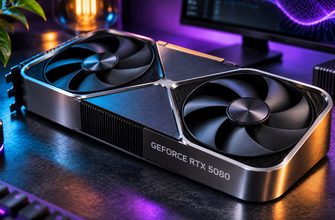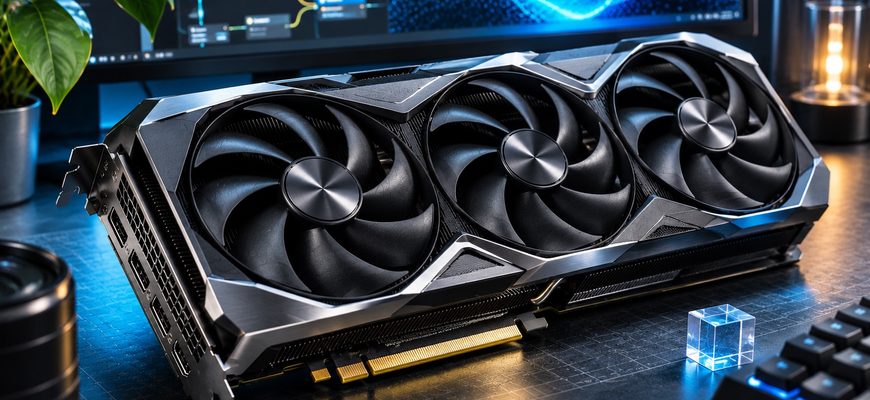
- The RTX 5070 Ti has become a different purchase in 2026
- From $749 to nearly $1,340
- RTX 5070 Ti vs RTX 5080 for AI: the performance you give up
- How close does the RTX 5070 Ti get?
- How much more should you pay for an RTX 5080?
- Maximum price premium at equal throughput per dollar
- NVIDIA GeForce RTX 5070 Ti specifications
- Not all 16GB graphics cards are equally fast
- What can the RTX 5070 Ti actually run locally?
- One interesting choice: a smaller model at higher precision
- 8B model / Q8_0
- 14B model / Q4_K_M
- Two different model choices within the same 16GB budget
- Can a 16GB GPU run a 35B AI model?
- Two larger models using CPU offloading
- RTX 5070 Ti for Stable Diffusion and ComfyUI
- How long would 1,000 SDXL images take?
- When would a $250 premium pay for itself?
- FLUX on the RTX 5070 Ti
- How we would configure a 16GB local AI workstation
- Software and workstation configuration
- Fine-tuning with LoRA and QLoRA
- Electricity costs: 300W versus 360W
- RTX 5070 Ti versus other GPUs for local AI
- RTX 5060 Ti 16GB: cheaper access to the same memory capacity
- RTX 5070: the importance of the additional 4GB
- RTX 4070 Ti SUPER: should existing owners upgrade?
- RTX 3090: a different memory class
- RTX 5080: faster, but not larger
- Is the RTX 5070 Ti worth buying for AI in 2026?
- What we like
- What to consider
- One of the more interesting Blackwell options, provided the price makes sense.
- Frequently asked questions
- Compare 65 GPUs before making your choice
- Sources and methodology
The RTX 5070 Ti was introduced at $749. The RTX 5080 arrived at $999. For that extra $250, you did not get a single additional gigabyte of video memory.
You did get a faster GPU. But how much faster depends on what you ask it to do.
Of the RTX 5080’s output speed
The RTX 5070 Ti reached approximately 98%
of its more expensive sibling’s throughput
in StorageReview’s Mistral text generation test.
Image generation tells a different story. So does the market price in late 2026. The RTX 5070 Ti deserves a closer look because it sits at the intersection of three things that matter to local AI users: memory capacity, inference speed and purchase cost.
Editorial hardware analysis based on manufacturer specifications, published third-party testing and original engineering calculations. il.digital has not physically tested this GPU. The 98% figure refers to one specific UL Procyon TensorRT benchmark.
In this review
The RTX 5070 Ti has become a different purchase in 2026
At its original price, the RTX 5070 Ti had a straightforward appeal: 16GB of memory, modern Blackwell hardware and a lower entry cost than the RTX 5080.
The situation has become less straightforward. On November 6, 2026, price tracking reported by TechPowerUp put the cheapest RTX 5070 Ti among monitored major US retailers at $1,339.99. Eight days earlier, the corresponding figure was $1,179.99.
From $749 to nearly $1,340
Nothing about the card’s memory capacity changed when its retail price increased. That is why a recommendation based solely on launch MSRP can become misleading.
Instead of deciding whether the RTX 5070 Ti is cheap or expensive in isolation, compare what competing cards can do with the same amount of memory.
RTX 5070 Ti vs RTX 5080 for AI: the performance you give up
StorageReview tested an ASUS Prime RTX 5070 Ti alongside the RTX 5080, RTX 5090 and RTX 4090 in February 2025 using UL Procyon. Its text generation results are particularly interesting for buyers comparing the two 16GB Blackwell cards.
| Model | RTX 5070 Ti | RTX 5080 | 5070 Ti relative speed |
|---|---|---|---|
| Phi | 192.49 | 209.46 | 91.9% |
| Mistral | 160.17 | 163.60 | 97.9% |
| Llama 3 | 131.85 | 136.18 | 96.8% |
| Llama 2 | 75.91 | 83.65 | 90.7% |
How close does the RTX 5070 Ti get?
The first four rows suggest that the cheaper card can be competitive in small-model text inference. The last row shows why the same conclusion cannot automatically be applied to image generation.
Using the reported Mistral output rates, generating 2,000 tokens would take approximately 12.5 seconds on the RTX 5070 Ti and 12.2 seconds on the RTX 5080.
That calculation excludes prompt processing, network delays and application overhead. It describes the output generation portion of this particular benchmark.
For a personal assistant, probably not every time. For a production workload processing millions of tokens, small differences can accumulate. The value of that extra speed depends on volume.
How much more should you pay for an RTX 5080?
There is a simple way to approach this decision. If two GPUs have sufficient memory for your model, compare their performance with the prices you would actually pay.
This formula gives the maximum RTX 5080 purchase price at which its benchmark throughput per dollar would match the RTX 5070 Ti. It does not include electricity, cooling, other workstation components or resale value.
Maximum price premium at equal throughput per dollar
For example, suppose a retailer offers an RTX 5070 Ti at $1,400.
Using the reported Mistral result, an RTX 5080 would need to cost approximately $1,430 to match its text throughput per dollar. For SDXL, the corresponding threshold is approximately $1,778.
| Your main workload | Example RTX 5070 Ti price | RTX 5080 break-even price |
|---|---|---|
| Mistral text generation | $1,400 | $1,430 |
| Llama 3 text generation | $1,400 | $1,446 |
| Stable Diffusion XL | $1,400 | $1,778 |
Illustrative purchase-price scenario, not live retail quotations. The thresholds describe throughput per dollar for the named benchmarks, not total ownership cost or a universal buying recommendation.
A developer running a small local language model and an artist producing thousands of images may therefore make different buying decisions. Both can be perfectly reasonable.
NVIDIA GeForce RTX 5070 Ti specifications

| Specification | RTX 5070 Ti |
|---|---|
| Architecture | Blackwell |
| CUDA cores | 8,960 |
| Tensor Cores | 5th generation |
| Memory capacity | 16GB GDDR7 |
| Memory interface | 256-bit |
| Memory bandwidth | 896 GB/s |
| Boost clock | 2.45 GHz |
| CUDA compute capability | 12.0 |
| PCIe interface | PCIe 5.0 x16 |
| NVLink | No |
| Total graphics power | 300W |
| Recommended system PSU | 750W |
| Release date | February 20, 2025 |
| Original US launch MSRP | $749 |
| Physical dimensions | Depend on manufacturer |
Sources: NVIDIA specifications and launch announcement.
The card has roughly twice the theoretical memory bandwidth of the RTX 5060 Ti 16GB. Compared with the RTX 4070 Ti SUPER, bandwidth increases from 672 to 896 GB/s.
Those are meaningful hardware differences, even though all three cards offer the same amount of memory.
Not all 16GB graphics cards are equally fast
What can the RTX 5070 Ti actually run locally?
Sixteen gigabytes gives you enough room to experiment with useful language models without depending on cloud inference for every request.
However, a larger parameter count does not automatically mean a model is a better fit for your application. The format in which the model is stored can be just as important.
| Model | Memory or file size | Expected fit |
|---|---|---|
| Qwen3-8B Q4_K_M | 5.03GB weights | Comfortable |
| Qwen3-8B Q8_0 | 8.71GB weights | Good |
| Qwen3-14B Q4_K_M | 9.00GB weights | Good |
| Qwen3-14B Q6_K | 12.1GB weights | Context dependent |
| gpt-oss-20b | 16GB memory target | Limited headroom |
| Qwen3-32B Q4_K_M | 19.8GB weights | Too large for full GPU residency |
Published GGUF file sizes use decimal GB. Runtime allocations and context memory are additional requirements. The gpt-oss-20b figure is OpenAI’s published memory target, rather than a weight file size.
Model sources: Qwen3-8B, Qwen3-14B, Qwen3-32B and OpenAI gpt-oss.
One interesting choice: a smaller model at higher precision
Suppose you have approximately 9GB available for model weights. You can spend that memory on a heavily quantized 14B model or on an 8B model stored at higher precision.
The official Qwen3-8B Q8_0 file is 8.71GB. Qwen3-14B Q4_K_M is 9GB. Their downloaded sizes are surprisingly close.
8B model / Q8_0
8.71 GBFewer parameters, higher weight precision and a useful alternative to aggressive quantization.
14B model / Q4_K_M
9.00 GBMore parameters within a similar storage budget, with greater quantization.
Which one gives better answers? There is no reliable rule that settles this for every coding, writing or reasoning task. Compare them using your own representative prompts rather than assuming that one configuration must always win.
Two different model choices within the same 16GB budget
Both larger configurations leave approximately five gigabytes of theoretical capacity available under these assumptions. That room can be useful when increasing context length or running supporting applications.
For more details about context memory, read our guide to local LLM context windows and VRAM .
Can a 16GB GPU run a 35B AI model?
It is possible to run certain models that exceed 16GB, but the experience depends heavily on how the model is built.
A public Blackwell inference project published an interesting example using an RTX 5070 Ti, a Ryzen 7 1700 processor and approximately 31GB of system RAM.
Two larger models using CPU offloading
These figures demonstrate a possibility rather than a performance guarantee. The models have different architectures, quantization and execution settings.
A mixture-of-experts model activates only some of its parameters for each token. A dense model processes its layers differently. Consequently, total parameter count is not always a good predictor of offloaded inference performance.
If you enjoy experimenting with model configurations, that flexibility makes the RTX 5070 Ti interesting. If your work requires reliable performance from large dense models every day, additional physical VRAM remains the safer choice.
Read our CPU offloading guide before choosing this approach.
RTX 5070 Ti for Stable Diffusion and ComfyUI
The difference between the RTX 5070 Ti and RTX 5080 becomes more visible when generating images.
| Image generation test | RTX 5070 Ti | RTX 5080 |
|---|---|---|
| Stable Diffusion 1.5 FP16 | 1.664 s | 1.344 s |
| Stable Diffusion 1.5 INT8 | 0.669 s | 0.561 s |
| Stable Diffusion XL FP16 | 11.184 s | 8.808 s |
Source: StorageReview, UL Procyon AI Image Generation. Figures are seconds per image. Lower is better.
In the SDXL test, the RTX 5080 produced approximately 27% more images per unit of generation time. The RTX 5070 Ti remains capable, but the performance difference is no longer negligible.
How long would 1,000 SDXL images take?
When would a $250 premium pay for itself?
Suppose the RTX 5080 costs $250 more and an hour of genuinely recoverable production time is worth $20.
At a saving of approximately 2.376 seconds per SDXL image, the additional purchase cost would correspond to around 18,940 generated images.
This is an illustrative break-even calculation. It assumes that faster generation actually frees up valuable working time. Unattended overnight jobs do not necessarily create the same financial benefit.
FLUX on the RTX 5070 Ti
A well-configured FLUX workflow can be practical on a 16GB card using reduced-precision models, quantized components or memory-saving execution.
Blackwell supports FP4 hardware operations, but the performance advantage requires software that can use those capabilities. A complex ComfyUI graph does not automatically benefit from every available optimization.
If image generation is your primary workload, test the complete graph you intend to use, including text encoders, reference models, upscaling and final resolution.
How we would configure a 16GB local AI workstation
The most practical approach is to start with the task rather than the biggest available model. For many users, a smaller model that remains in GPU memory is a better everyday tool than a much larger model that constantly relies on system RAM.
Estimate your model’s memory requirements.
Our interactive GPU guide helps compare model
weights, context size, GPU capacity and running costs.
Software and workstation configuration
| Component | Suggested starting point |
|---|---|
| Processor | Modern 6–8-core or better CPU |
| System RAM | 32GB for lighter workloads; 64GB preferred |
| Storage | 2TB NVMe SSD |
| Power supply | Quality 750W or suitably higher-rated unit |
| Cooling | Well-ventilated case |
| Operating system | Linux or Windows |
| Local inference | Ollama, LM Studio, llama.cpp |
| Image generation | ComfyUI |
| AI development | Blackwell-compatible PyTorch and CUDA |
These are editorial recommendations, not fixed minimum requirements. The NVIDIA reference system power recommendation is 750W. The dimensions, cooling design and power requirements of individual partner cards must be checked before purchasing.
For software development, use a modern build with Blackwell kernel support. PyTorch introduced this support in its 2.7 release with CUDA 12.8 builds. Older custom extensions may need recompilation or replacement.
Fine-tuning with LoRA and QLoRA
The RTX 5070 Ti can also be useful for adapting smaller language models with parameter-efficient fine-tuning.
Do not use inference memory requirements as a training capacity estimate. Gradients, activations, optimizer states, sequence length and batch size introduce additional demands.
A model that leaves several gigabytes of free memory during inference may still exceed the card’s capacity when fine-tuning.
Electricity costs: 300W versus 360W
The RTX 5070 Ti has a reference total graphics power rating of 300W, compared with 360W for the RTX 5080.
Neither number tells you how much electricity the card will consume during a particular AI workload. Actual power draw depends on utilization, the application and configured power limits.
| Average GPU draw | Annual energy | Annual cost |
|---|---|---|
| 150W | 219 kWh | $54.75 |
| 200W | 292 kWh | $73.00 |
| 250W | 365 kWh | $91.25 |
| 300W | 438 kWh | $109.50 |
Illustrative GPU-only calculations. Four hours daily, 365 days per year, $0.25/kWh. The power figures are hypothetical averages, not measured operating values.
A difference of 60W sustained for four hours every day would amount to approximately $21.90 per year at the stated electricity price.
But a faster GPU may finish the same job sooner. For production workloads, energy per completed task is often more useful than comparing maximum rated power.
RTX 5070 Ti versus other GPUs for local AI
| GPU | VRAM | GB/s | Rated power |
|---|---|---|---|
| RTX 5060 Ti 16GB | 16GB | 448 | 180W |
| RTX 5070 | 12GB | 672 | 250W |
| RTX 4070 Ti SUPER | 16GB | 672 | 285W |
| RTX 5070 Ti | 16GB | 896 | 300W |
| RTX 5080 | 16GB | 960 | 360W |
| RTX 3090 | 24GB | 936 | 350W |
| RTX 5090 | 32GB | 1,792 | 575W |
RTX 5060 Ti 16GB: cheaper access to the same memory capacity
If you mainly want to fit a particular model into GPU memory, the 16GB RTX 5060 Ti deserves consideration. Its considerably lower bandwidth may reduce inference throughput, but it does not reduce the nominal memory capacity available for the model.
RTX 5070: the importance of the additional 4GB
The regular RTX 5070 has 12GB of VRAM. The Ti version gives you an additional four gigabytes, which can be useful for longer contexts and higher-precision models.
For AI workloads, the memory difference is a more tangible reason to upgrade than the product name alone.
RTX 4070 Ti SUPER: should existing owners upgrade?
Both cards have 16GB of memory. The newer RTX 5070 Ti offers higher bandwidth and updated Tensor Cores.
However, it does not increase the size of the GPU’s memory. If your existing 4070 Ti SUPER is sufficient for your work, measure the actual performance improvement you need before replacing it.
RTX 3090: a different memory class
The older RTX 3090 offers 24GB of VRAM. It lacks newer Blackwell hardware capabilities, but its capacity can be more useful for certain large language models.
Consider the cost, condition and warranty of any used card before deciding.
RTX 5080: faster, but not larger
The RTX 5080 makes a stronger case for compute-heavy workflows that use its additional performance regularly. For smaller text generation workloads, the price difference deserves careful scrutiny.
Both GPUs remain in the same 16GB memory class.
Is the RTX 5070 Ti worth buying for AI in 2026?
What we like
- 16GB of GDDR7 memory
- High memory bandwidth
- Competitive small-model inference
- Blackwell low-precision hardware
- Broad CUDA ecosystem
- Useful image generation performance
What to consider
- Retail prices above original MSRP
- Limited space for large dense models
- Slower image generation than RTX 5080
- Less memory than older RTX 3090
- 300W rated graphics power
- Cheaper cards also offer 16GB
One of the more interesting Blackwell options, provided the price makes sense.
The RTX 5070 Ti is attractive when you need a fast local assistant, a coding workstation or a capable image generation GPU without paying the full RTX 5080 premium.
Its performance in the published text generation tests suggests that the more expensive card does not always deliver a proportionate advantage. Image generation is a more convincing reason to consider paying extra.
However, buyers facing inflated retail prices should not confuse a strong product with a good deal. Compare the actual cost of other 16GB cards and larger-memory alternatives before purchasing.
The best reason to choose the RTX 5070 Ti is not that it can run larger models than the RTX 5080. It cannot. The reason is that it can perform many of the same tasks at a lower purchase price, when such a price advantage exists.
Frequently asked questions
Is the RTX 5070 Ti good for local AI?
Yes. Its 16GB memory capacity and 896 GB/s bandwidth make it useful for quantized language models, image generation and development. Suitability depends on model size and price.
Is the RTX 5070 Ti almost as fast as the RTX 5080?
In certain published text generation tests, it achieved more than 96% of the RTX 5080’s output speed. Other workloads, including SDXL image generation, show a larger difference.
Can the RTX 5070 Ti run gpt-oss-20b?
OpenAI specifies a 16GB memory target for the intended quantized model. A compatible runtime and appropriate context settings are needed.
Can the RTX 5070 Ti run a 32B or 70B model?
A conventional 32B or 70B Q4 model generally exceeds its capacity. More aggressive quantization, CPU offloading or multi-GPU execution can make some larger models usable.
Is the RTX 5070 Ti suitable for ComfyUI?
Yes, for many SDXL and memory-optimized FLUX workflows. Complex pipelines can still encounter memory limitations.
Is the RTX 5070 Ti available as a Founders Edition?
No. The RTX 5070 Ti is sold through board partners. Cooling, dimensions and factory power limits vary by manufacturer.
Is the RTX 5070 Ti better than the RTX 3090 for AI?
The RTX 5070 Ti has newer Blackwell features, while the RTX 3090 has 24GB of memory. The better choice depends on whether memory capacity, speed or purchase price is the main constraint.
Compare 65 GPUs before making your choice
Our complete NVIDIA, AMD and Intel GPU guide includes hardware specifications and six interactive tools for estimating VRAM, inference requirements, electricity and ownership costs.
Best GPUs for AI in 2026 →Sources and methodology
This article distinguishes manufacturer specifications, published laboratory benchmarks, community-reported measurements and original editorial calculations. Historical MSRP and dated retail observations are not current price quotations. No physical benchmark was conducted by il.digital.
- NVIDIA — GeForce RTX 5070 family specifications
- NVIDIA — RTX 5070 Ti launch announcement
- NVIDIA — Blackwell launch pricing
- NVIDIA — GeForce GPU comparison
- StorageReview — RTX 5070 Ti AI benchmarks
- TechPowerUp — November 2026 retail price report
- Blackwell 16GB LLM Starter — community measurements
- Qwen3-8B GGUF model files
- Qwen3-14B GGUF model files
- Qwen3-32B GGUF model files
- Qwen3-8B model architecture
- Qwen3-14B model architecture
- OpenAI — gpt-oss memory requirements
- PyTorch — Blackwell support
Last editorial review: November 24, 2026.