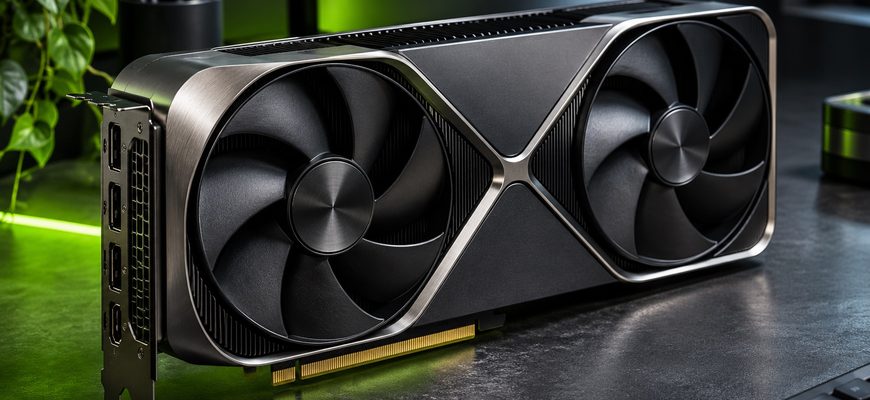
- What AI models can you run with 32GB of VRAM?
- RTX 5090 vs RTX 4090: why the extra 8GB matters
- The 24GB memory barrier
- Where does GPU memory go?
- How much faster is the RTX 5090 than the RTX 4090?
- Mistral text generation
- RTX 5090 specifications for artificial intelligence
- Memory bandwidth compared
- Can a single RTX 5090 run a 70B model?
- When the model is bigger than the GPU
- RTX 5090 for Stable Diffusion, FLUX and ComfyUI
- Stable Diffusion XL performance
- FLUX and FP4 acceleration
- Can you fine-tune AI models on an RTX 5090?
- Which AI software works with the RTX 5090?
- How much does owning an RTX 5090 really cost?
- Three-year ownership scenarios
- RTX 5090 vs alternative GPUs for AI
- RTX 3090: the value-oriented alternative
- RTX 4090: not necessarily worth replacing
- AMD Radeon AI PRO R9700: another 32GB option
- RTX PRO 6000 Blackwell: the memory-first option
- Building an RTX 5090 AI workstation
- Is the RTX 5090 worth buying for AI?
- Reasons to buy
- Reasons to reconsider
- Excellent hardware. A purchase that depends on price.
- Frequently asked questions
- Still deciding which GPU to buy?
- Sources and methodology
A graphics card that can cost more than an entire AI workstation still cannot fit a conventional 4-bit 70B language model into its memory.
That is the uncomfortable reality of buying an NVIDIA GeForce RTX 5090 in 2026.
NVIDIA introduced the card at $1,999. On November 15, 2026, Tom’s Hardware reported US retail offers starting at $6,599 for selected water-cooled and external GPU configurations.
For AI developers, the question is not whether the RTX 5090 is fast. It is whether its 32GB of VRAM can handle enough useful work to justify that expense.
Editorial review based on official specifications, published third-party benchmarks and original memory and cost calculations. No independent physical testing was conducted by il.digital.
In this review
What AI models can you run with 32GB of VRAM?
The RTX 5090 for AI becomes particularly interesting when you move beyond small 7B and 8B models. With 32GB of memory, a single desktop graphics card can accommodate many quantized language models in the 20B–32B range.
Quantization reduces the precision used to store model weights. This allows a model that would otherwise require considerably more memory to run on consumer hardware.
| AI model | Memory requirement | Expected fit |
|---|---|---|
| gpt-oss-20b | 16GB memory target | Comfortable |
| Qwen3-32B Q4_K_M | 19.8GB weights | Good |
| Qwen3-32B Q8_0 | 34.8GB weights | Too large |
| Llama 3.3 70B Q4_K_M | 42.52GB weights | Offloading required |
| gpt-oss-120b | 80GB memory target | Additional memory required |
Sources: OpenAI, Qwen3 GGUF, Llama 3.3 70B GGUF. Weight file sizes exclude runtime overhead. OpenAI figures are published memory targets rather than weight file sizes.
For many individual users, quantized 20B–32B models offer a useful balance between model capability, response speed and available memory.
A local coding assistant, document analysis tool or reasoning model can fit comfortably on the card when its memory requirements are understood. But the size of a downloaded model is only the beginning of the calculation.
RTX 5090 vs RTX 4090: why the extra 8GB matters
Moving from 24GB to 32GB does not sound like a dramatic upgrade. For local language models, however, those additional gigabytes can determine whether a workload remains entirely on the GPU.
Consider Qwen3-32B in Q4_K_M format. Its approximately 19.8GB weight file corresponds to roughly 18.4 GiB. The inference engine also needs memory for computation buffers and the key-value cache, which grows as the model processes more tokens.
The 24GB memory barrier
At 32,768 tokens, the estimated weights and cache already exceed the capacity of a 24GB GPU. The RTX 5090 still has some memory available for the inference engine.
This matters when working with long documents or large code repositories. A model that answers short questions without difficulty can run out of memory during a longer session.
Where does GPU memory go?
Cache quantization and other memory-saving techniques can change these estimates. The exact result depends on your model and inference software.
Will your model fit?
Estimate the memory needed for model weights,
context and runtime overhead before buying a GPU.
How much faster is the RTX 5090 than the RTX 4090?
The RTX 5090 has approximately 78% more theoretical memory bandwidth than the RTX 4090. Actual AI performance improvements are usually more dependent on the workload.
StorageReview compared the two GPUs and the professional RTX 6000 Ada in its January 2025 UL Procyon text generation tests.
Mistral text generation
| Model | RTX 5090 | RTX 4090 | Improvement |
|---|---|---|---|
| Phi | 314.4 tok/s | 244.3 tok/s | +29% |
| Mistral | 255.9 tok/s | 183.3 tok/s | +40% |
| Llama 3 | 214.3 tok/s | 150.0 tok/s | +43% |
| Llama 2 | 134.5 tok/s | 92.9 tok/s | +45% |
The advantage is substantial across these tests, but smaller than the theoretical bandwidth increase. An older model that already responds quickly on an RTX 4090 may not feel dramatically different on the newer card.
For applications generating thousands of tokens at a time, the accumulated time savings can matter. For occasional chatbot use, the price of upgrading is much harder to justify.
These results belong to the reported benchmark environment. They are not performance guarantees for newer models, different quantization formats or other inference engines.
RTX 5090 specifications for artificial intelligence

The desktop RTX 5090 combines Blackwell computing hardware with a wide GDDR7 memory interface. Its fifth-generation Tensor Cores support low-precision operations that compatible AI applications can use to accelerate inference.
| Specification | GeForce RTX 5090 |
|---|---|
| Architecture | Blackwell |
| CUDA cores | 21,760 |
| Tensor Core generation | 5th |
| VRAM | 32GB GDDR7 |
| Memory interface | 512-bit |
| Memory bandwidth | 1,792 GB/s |
| PCIe interface | PCIe 5.0 x16 |
| Total graphics power | 575W |
| Recommended system power | 1,000W |
| Launch MSRP | $1,999 |
Source: NVIDIA official specifications . Reference card specifications; partner models may have different power and cooling requirements.
Memory bandwidth compared
Language model generation frequently involves reading substantial quantities of data from memory. This is why memory bandwidth can be especially important for single-user local inference.
But memory bandwidth cannot compensate for a model that does not fit in the available memory.
Can a single RTX 5090 run a 70B model?
Yes, with compromises.
The Q4_K_M version of Llama 3.3 70B published on Hugging Face has a weight file size of approximately 42.52GB. That exceeds the RTX 5090’s 32GB capacity before the inference engine allocates additional memory.
When the model is bigger than the GPU
One option is CPU offloading, where part of the model stays in system RAM. Another is choosing a smaller quantized version, which may introduce quality trade-offs. A compatible multi-GPU system can also distribute the model across several devices.
The important distinction is between getting a model to start and running it efficiently. If 70B-class models are central to your work, a larger-memory GPU may be a better investment.
Our guide to CPU offloading for local LLMs explains why system RAM cannot always provide the same experience as dedicated GPU memory.
RTX 5090 for Stable Diffusion, FLUX and ComfyUI
Image generation is another strong reason to consider this card. Complex workflows can involve several models, conditioning inputs, high-resolution images and additional upscaling stages. All of these place demands on GPU memory.
Stable Diffusion XL performance
The RTX 5090 reduced image generation time by approximately 30% compared with the RTX 4090 in this test.
Saving two seconds on a single image may not sound particularly important. Across 1,000 images, the reported rates correspond to approximately 37 minutes of saved generation time, assuming sustained performance and no additional overhead.
FLUX and FP4 acceleration
Blackwell’s support for FP4 operations is useful when the software can take advantage of it. NVIDIA reported an end-to-end generation time of approximately 3.85 seconds for FLUX.1-dev on an RTX 5090 using an optimized FP4 TensorRT implementation.
An optimized TensorRT benchmark does not mean every ComfyUI workflow will achieve the same speed. Model precision, custom nodes and backend support can materially change the result.
See NVIDIA’s FP4 image generation analysis for the manufacturer-published test methodology.
Can you fine-tune AI models on an RTX 5090?
The card is useful for parameter-efficient fine-tuning with methods such as LoRA and QLoRA. These techniques allow developers to adapt models without updating every original model parameter.
However, inference and training have different memory requirements. Training introduces gradient, activation and optimizer allocations that can quickly consume available VRAM.
Start with smaller models and conservative batch sizes. A 32B model fitting during inference does not guarantee that the same model can be fully fine-tuned on one RTX 5090.
Which AI software works with the RTX 5090?
NVIDIA’s CUDA ecosystem remains one of the card’s main advantages for AI developers. There are established tools for running local models, generating images and developing machine learning applications.
| Software | Typical workload |
|---|---|
| Ollama | Local model deployment |
| LM Studio | Desktop LLM inference |
| llama.cpp | Quantized GGUF models |
| vLLM | Inference servers and concurrent requests |
| ComfyUI | Image generation workflows |
| PyTorch | Development and fine-tuning |
Use Blackwell-compatible drivers and software builds. Older CUDA binaries and custom extensions may require updating before they can use the GPU. PyTorch introduced Blackwell support with its 2.7 release and CUDA 12.8 builds.
How much does owning an RTX 5090 really cost?
The 575W graphics power rating is high, but electricity is only one part of the ownership cost. When purchase prices climb far above MSRP, the initial investment can dominate the calculation.
Assume four hours of daily AI workloads, an average GPU draw of 350W and electricity priced at $0.25 per kWh.
Three-year ownership scenarios
At inflated retail prices, finding a less expensive GPU that can accommodate the same model may be more valuable than buying additional speed.
If your AI workload is occasional rather than continuous, comparing local ownership with rented GPU compute is also worth doing.
Calculate your own running costs
Compare electricity rates, GPU usage and
long-term ownership expenses.
RTX 5090 vs alternative GPUs for AI
| GPU | VRAM | GB/s | Power |
|---|---|---|---|
| RTX 5080 | 16GB | 960 | 360W |
| RTX 3090 | 24GB | 936 | 350W |
| RTX 4090 | 24GB | 1,008 | 450W |
| Radeon AI PRO R9700 | 32GB | 640 | 300W |
| RTX 5090 | 32GB | 1,792 | 575W |
| RTX PRO 6000 Blackwell | 96GB | 1,792 | 600W |
RTX 3090: the value-oriented alternative
A competitively priced used RTX 3090 can still be a sensible purchase for local AI. Its 24GB of VRAM accommodates many useful models, although buyers should consider the condition and cooling of used hardware.
RTX 4090: not necessarily worth replacing
If your existing RTX 4090 runs everything you need, the RTX 5090 is not an essential upgrade. Repeated memory shortages and costly waiting times are stronger reasons to switch.
AMD Radeon AI PRO R9700: another 32GB option
AMD offers the same memory capacity with a 300W rated board power. Its theoretical memory bandwidth is considerably lower, and software compatibility must be evaluated for your specific AI applications.
RTX PRO 6000 Blackwell: the memory-first option
With 96GB of VRAM, the workstation edition can accommodate workloads that are too large for a single RTX 5090. For regular use of very large models, capacity may be more valuable than the price-to-speed characteristics of a consumer GPU.
Building an RTX 5090 AI workstation
The following configuration is a reasonable starting point for a developer or creator building a dedicated local AI computer.
| Component | Suggested starting point |
|---|---|
| Processor | Modern 8-core or better CPU |
| System RAM | 64GB |
| RAM for larger offloaded models | 128GB where needed |
| Storage | 2TB or larger NVMe SSD |
| Power supply | Quality 1,000W or suitably higher-rated PSU |
| Case | High-airflow enclosure |
| Operating system | Linux or Windows |
Editorial recommendations rather than universal minimum requirements.
Check the dimensions, connector requirements and recommended PSU rating for your specific graphics card. Follow the GPU and power supply manufacturers’ installation instructions, ensuring the power connector is fully inserted and the cable has sufficient clearance.
Is the RTX 5090 worth buying for AI?
Reasons to buy
- 32GB of fast GPU memory
- Strong local LLM inference
- Fast image generation
- Established CUDA ecosystem
- More context headroom than 24GB GPUs
- Useful fine-tuning capabilities
Reasons to reconsider
- Potentially excessive purchase price
- High power and cooling requirements
- Limited capacity for 70B models
- May require software updates
- Not always worth replacing a 4090
- Less memory than professional GPUs
Excellent hardware. A purchase that depends on price.
The RTX 5090 makes the most sense for people who regularly run demanding AI models that fit within its 32GB of VRAM.
Its additional memory can eliminate offloading in situations where a 24GB GPU struggles. Its bandwidth and compute capabilities can also reduce waiting times during repeated workloads.
But if you mainly run small language models, you may be paying for performance that you do not need. If your work depends on 70B-class models, you may be paying for a GPU that still lacks sufficient memory.
Buy the RTX 5090 for a workload you understand, not for the expectation that an expensive graphics card can run everything.
Frequently asked questions
Is 32GB VRAM enough for local AI?
Yes, for many quantized 20B–32B models, image generation workflows and AI development. Large contexts and concurrent requests can increase memory requirements considerably.
Can an RTX 5090 run Llama 70B?
A conventional 4-bit 70B model generally exceeds the card’s available memory. CPU offloading, more aggressive quantization or a compatible multi-GPU configuration may make it usable.
Is the RTX 5090 faster than the RTX 4090 for AI?
Published tests show substantial improvements in several workloads, but performance gains vary with model architecture, precision, runtime and context length.
Can two RTX 5090 GPUs provide 64GB of VRAM?
They provide 64GB of aggregate memory. Compatible software can distribute models between the cards, but their memory does not automatically behave as one shared 64GB allocation.
Can you run ChatGPT locally?
OpenAI’s proprietary hosted ChatGPT models are not available as local model weights. The RTX 5090 can run compatible open-weight models, including gpt-oss-20b.
Is an RTX 5090 suitable for 24/7 AI?
It can support sustained workloads when properly configured. Commercial deployments should also consider cooling, reliability, warranty, software licensing and remote management.
Still deciding which GPU to buy?
Explore 65 NVIDIA, AMD and Intel GPU configurations, compare hardware specifications and estimate VRAM requirements, inference costs and ownership expenses with six interactive tools.
Best GPUs for AI in 2026 →Sources and methodology
This review distinguishes official specifications, third-party measurements and editorial estimates. The benchmark results were not produced by il.digital and should be interpreted within their original testing conditions.
- NVIDIA GeForce RTX 5090 specifications
- NVIDIA GeForce GPU comparison
- StorageReview — RTX 5090 AI performance testing
- Puget Systems — RTX 5090 and RTX 5080 AI review
- OpenAI — gpt-oss model requirements
- Qwen3-32B quantized model files
- Qwen3-32B architecture configuration
- Llama 3.3 70B quantized model files
- NVIDIA — FP4 TensorRT image generation
- AMD Radeon AI PRO R9700 specifications
- RTX PRO 6000 Blackwell specifications
- Tom’s Hardware — US retail pricing, November 15, 2026
Last editorial review: November 24, 2026.