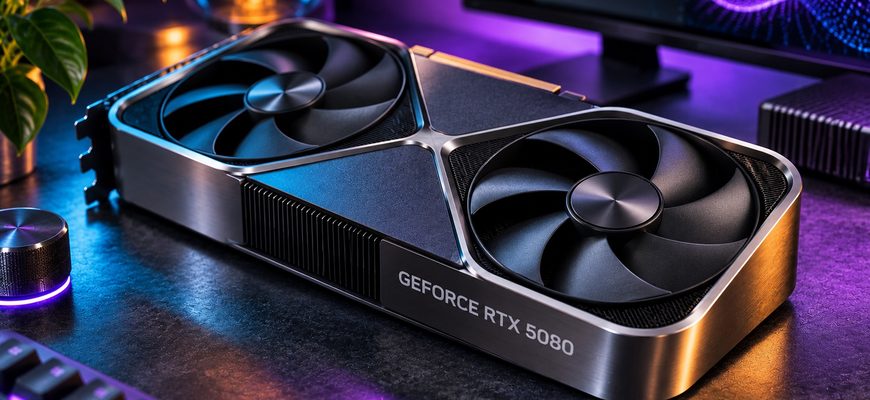
- The RTX 5080 has a memory problem, not a speed problem
- More expensive does not always mean more memory
- NVIDIA GeForce RTX 5080 specifications
- Which AI models can you run with 16GB of VRAM?
- Can the RTX 5080 run a 20B model?
- How a 9GB model can almost fill a 16GB GPU
- Where the 16GB goes
- How to configure a local model without wasting VRAM
- RTX 5080 AI benchmarks: surprisingly close to the RTX 4090
- Llama 3 output generation
- Is it worth upgrading from an RTX 4080?
- RTX 5080 for Stable Diffusion, FLUX and ComfyUI
- Stable Diffusion XL performance
- What about FLUX?
- RTX 5080 vs RTX 5070 Ti: the uncomfortable comparison
- Three Blackwell GPUs with 16GB of VRAM
- Same memory capacity, different prices
- RTX 5080 vs RTX 3090: when older hardware makes sense
- How much electricity does the RTX 5080 use for AI?
- Annual GPU electricity costs
- Is a $250 upgrade worth paying for?
- What happens when an AI model exceeds 16GB?
- Three practical AI setups for the RTX 5080
- 01 / Personal coding assistant
- 02 / Local image production
- 03 / Private document assistant
- Can you fine-tune models on the RTX 5080?
- Building an RTX 5080 AI workstation
- AI software compatibility
- Is the RTX 5080 worth buying for AI?
- Reasons to buy
- Reasons to reconsider
- Buy it for speed, not for access to larger models.
- Frequently asked questions
- Find the right GPU for your AI workload
- Sources and methodology
The RTX 5080 is five years newer than the RTX 3090. It has faster memory and a more advanced GPU architecture. Yet the older graphics card can run AI models that simply will not fit on the 5080.
That is an unusual situation for a graphics card that launched at $999. For gamers, the newer architecture is an important selling point. For local AI users, the 16GB memory capacity deserves just as much attention.
Is the RTX 5080 a sensible investment for local language models, image generation and AI development, or are you better off buying a cheaper GPU with the same amount of memory?
This editorial review uses official specifications, independently published benchmarks and original memory and cost calculations. il.digital has not conducted physical testing of this graphics card.
In this review
The RTX 5080 has a memory problem, not a speed problem
The RTX 5080 for AI is a capable graphics card when everything fits inside its memory. The problem appears when a larger language model, a longer conversation or a complicated image generation workflow needs more than 16GB.
Imagine two developers buying a new GPU. One spends hours generating code with a compact 8B language model. The other regularly analyzes large documents using a quantized 32B model.
The first developer may benefit from the RTX 5080’s speed. The second may find that a slower graphics card with 24GB of memory is more useful.
More expensive does not always mean more memory
Additional computing power cannot make a large model physically fit inside a smaller memory allocation. Quantization and offloading can help, but both involve trade-offs.
NVIDIA GeForce RTX 5080 specifications

| Specification | RTX 5080 |
|---|---|
| Architecture | Blackwell |
| CUDA cores | 10,752 |
| Tensor Core generation | 5th |
| VRAM | 16GB GDDR7 |
| Memory interface | 256-bit |
| Memory bandwidth | 960 GB/s |
| Boost clock | 2.62 GHz |
| PCIe interface | PCIe 5.0 x16 |
| NVLink | Not supported |
| Total graphics power | 360W |
| Recommended system PSU | 850W |
| Founders Edition length | 304 mm |
| Founders Edition thickness | Two slots |
| Release date | January 30, 2025 |
| Original US MSRP | $999 |
Source: NVIDIA official RTX 5080 specifications . Partner cards may have different dimensions, cooling systems and power limits.
The memory subsystem is particularly impressive. At 960 GB/s, the RTX 5080 has almost as much theoretical bandwidth as the RTX 4090. That can benefit local inference, where reading model weights from memory is often a major part of the workload.
However, the RTX 5080 has only two-thirds of the RTX 4090’s memory capacity. That difference becomes important long before the newer card runs out of computing power.
Which AI models can you run with 16GB of VRAM?
A 16GB graphics card can run a useful local AI assistant without much difficulty. Selecting the right model and quantization format is more important than chasing the largest possible parameter count.
| Model | Memory requirement | Expected fit |
|---|---|---|
| Qwen3-8B Q4_K_M | Approximately 5GB weights | Comfortable |
| Qwen3-14B Q4_K_M | 9GB weights | Good |
| Qwen3-14B Q6_K | Approximately 12GB weights | Context dependent |
| gpt-oss-20b | 16GB published memory target | Limited headroom |
| Qwen3-14B Q8_0 | Approximately 16GB weights | Very limited headroom |
| Qwen3-32B Q4_K_M | 19.8GB weights | Too large for full GPU residency |
Published model file sizes use decimal GB and exclude runtime allocations. The gpt-oss-20b figure refers to OpenAI’s published memory target. Actual suitability depends on software, context length and available GPU memory.
Model sources: Qwen3-8B, Qwen3-14B, Qwen3-32B and OpenAI gpt-oss.
Can the RTX 5080 run a 20B model?
Yes. OpenAI’s gpt-oss-20b demonstrates why parameter count alone is not a reliable indicator of memory requirements. Its intended quantized configuration can operate with approximately 16GB of memory.
That does not mean every 20B model will fit, or that every context length is practical. The inference backend still needs room for its working allocations.
Begin with a quantized 8B–14B model. If its quality is sufficient for your work, keeping it fully resident in GPU memory may be more productive than forcing a much larger model to run through CPU offloading.
How a 9GB model can almost fill a 16GB GPU
Downloading a model with a 9GB file size does not mean your AI application will consume only 9GB of VRAM.
Qwen3-14B in Q4_K_M format occupies approximately 8.38 GiB after converting its published weight file size into binary memory units.
The key-value cache, which stores information about previously processed tokens, grows as the context window becomes longer.
Where the 16GB goes
At 32,768 tokens, this example leaves just over 1 GiB of unused GPU memory. The display driver, larger computation buffers or additional applications could reduce that margin further.
This is why a local coding assistant may work perfectly with short prompts but encounter memory errors when processing an entire source-code repository.
How to configure a local model without wasting VRAM
For a more detailed explanation, see our guide to context windows and VRAM usage .
Will your model fit in 16GB?
Estimate the memory requirements of your chosen
model before purchasing a graphics card.
RTX 5080 AI benchmarks: surprisingly close to the RTX 4090
StorageReview tested the RTX 5080 alongside the RTX 4090, RTX 5090 and professional RTX 6000 Ada using the UL Procyon benchmark.
The results provide an interesting comparison for workloads that fit within the RTX 5080’s available memory.
Llama 3 output generation
| Model | RTX 5080 | RTX 4090 | RTX 5090 |
|---|---|---|---|
| Phi | 209.5 | 244.3 | 314.4 |
| Mistral | 163.6 | 183.3 | 255.9 |
| Llama 3 | 136.2 | 150.0 | 214.3 |
| Llama 2 | 83.7 | 92.9 | 134.5 |
All figures are reported output tokens per second. These are historical measurements from the same published benchmark environment, not guaranteed performance for other models or runtimes.
In the Llama 3 test, the RTX 5080 delivered approximately 91% of the RTX 4090’s generation speed.
At those reported rates, generating 2,000 tokens would take around 14.7 seconds on the RTX 5080 and 13.3 seconds on the RTX 4090, excluding prompt processing and other delays.
For a personal chatbot, that difference may be relatively minor. The more important distinction is what happens when a model needs more than 16GB of memory.
Is it worth upgrading from an RTX 4080?
The RTX 4080 and RTX 4080 SUPER already provide 16GB of memory. Moving to the RTX 5080 increases memory bandwidth and introduces newer computing hardware, but the memory ceiling remains the same.
If your current GPU runs your preferred models without offloading, the improvement may be worth considering for repeated inference or image generation tasks.
If your current problem is running out of VRAM, another 16GB graphics card is unlikely to solve it without changing the model or software.
RTX 5080 for Stable Diffusion, FLUX and ComfyUI
The RTX 5080 is easier to justify for certain image generation workloads than for experiments with increasingly large language models.
Many Stable Diffusion pipelines fit inside 16GB. Once the workload fits, computing performance can become more important than additional memory capacity.
Stable Diffusion XL performance
The RTX 5080 completed this workload faster than the 48GB RTX 6000 Ada. That illustrates an important distinction: additional memory is valuable when you need it, but it does not automatically make every task faster.
For a batch of 1,000 images, the reported RTX 5080 benchmark rate corresponds to approximately 147 minutes of generation time, compared with 124 minutes on the RTX 4090. These estimates assume sustained benchmark performance and exclude additional overhead.
What about FLUX?
FLUX workflows can place much greater demands on GPU memory, particularly when using several large model components at higher precision.
On the RTX 5080, quantized variants, reduced precision and memory-saving ComfyUI workflows can make image generation practical.
The Blackwell architecture also supports FP4 operations. Compatible software can use this format to reduce memory requirements and accelerate supported workloads.
Do not assume that every FLUX checkpoint or ComfyUI extension supports those optimizations. Check the requirements of the actual workflow you plan to use.
Reference: NVIDIA Blackwell and FP4 architecture overview .
RTX 5080 vs RTX 5070 Ti: the uncomfortable comparison
The RTX 5070 Ti may be the most interesting alternative to the RTX 5080. Both use Blackwell and both provide 16GB of GDDR7 memory.
The difference in theoretical memory bandwidth is only about 7.1% in favor of the RTX 5080. Yet their original launch prices differed by $250.
Three Blackwell GPUs with 16GB of VRAM
Same memory capacity, different prices
At their original launch prices, the RTX 5080 cost roughly 33% more than the RTX 5070 Ti. That premium purchased additional computing hardware and memory bandwidth, but no extra VRAM.
If you primarily want to run local language models, the RTX 5070 Ti deserves careful consideration. If your work involves repeated image generation, video processing or other compute-intensive tasks, the additional performance of the RTX 5080 may be more useful.
RTX 5080 vs RTX 3090: when older hardware makes sense
| Feature | RTX 5080 | RTX 3090 |
|---|---|---|
| Architecture | Blackwell | Ampere |
| VRAM | 16GB | 24GB |
| Memory bandwidth | 960 GB/s | 936 GB/s |
| Rated power | 360W | 350W |
| Qwen3-32B Q4 weights | Too large | Can fit with controlled context |
The RTX 3090 has 50% more memory than the RTX 5080. Its memory bandwidth is also surprisingly close.
That does not mean the older GPU is faster. It lacks some of Blackwell’s architectural improvements and newer hardware capabilities.
But when a 19.8GB model cannot fit inside the RTX 5080, the 3090’s additional memory becomes much more relevant than its age.
Used RTX 3090 buyers should also consider hardware condition, cooling, warranty and the seller’s asking price. An older graphics card is not necessarily a better purchase simply because it has more VRAM.
How much electricity does the RTX 5080 use for AI?
The card has a rated graphics power of 360W. That is not a measurement of constant power consumption during local inference. Different workloads can produce considerably different power profiles.
For an illustrative calculation, assume four hours of GPU activity every day and an electricity price of $0.25 per kWh.
Annual GPU electricity costs
Is a $250 upgrade worth paying for?
Suppose a faster GPU saves five minutes of processing time every working day. Over 220 working days, that adds up to approximately 18.3 hours.
If those hours directly affect paid work, the premium might be worthwhile. If the GPU mostly runs unattended overnight, the financial value of faster processing may be smaller.
This is an illustrative purchasing scenario, not a measured RTX 5080 productivity advantage. Use current local prices and benchmarks from your intended applications.
Calculate the real cost of your GPU.
Adjust electricity prices, operating hours,
purchase cost and ownership period.
What happens when an AI model exceeds 16GB?
Some inference applications can place part of a model in system RAM. This is commonly known as CPU offloading.
It allows otherwise oversized models to run, but the workload may become considerably slower because part of the computation and data movement takes place outside GPU memory.
For an occasional experiment, that compromise may be perfectly acceptable. For a daily production workload, buying additional VRAM may be a better investment.
Read our guide to CPU offloading for local language models to understand the performance implications.
Three practical AI setups for the RTX 5080
01 / Personal coding assistant
Run a quantized 8B–14B language model through LM Studio, Ollama or llama.cpp. Start with a moderate context length and check memory usage with a representative coding task. Keep the model fully resident on the GPU whenever possible.
02 / Local image production
Use ComfyUI with Stable Diffusion XL or an appropriately optimized FLUX pipeline. Monitor peak VRAM consumption when adding reference images, conditioning models and upscaling stages.
03 / Private document assistant
Use retrieval-augmented generation to select relevant document excerpts instead of placing entire document collections into the context window. Keep concurrency modest and consider separate resources for embeddings if memory becomes constrained.
Can you fine-tune models on the RTX 5080?
Sixteen gigabytes can be sufficient for some smaller-model fine-tuning experiments using LoRA and QLoRA.
These methods reduce the resources needed to adapt a model, but training still requires memory for activations, gradients and optimizer states.
Start with smaller language models, memory-efficient settings and conservative batch sizes. A model that fits during inference may not fit during fine-tuning.
Building an RTX 5080 AI workstation
| Component | Suggested starting point |
|---|---|
| Processor | Modern 6–8-core or better CPU |
| System RAM | 32GB starting point; 64GB preferred |
| RAM for offloading | 64–128GB depending on workload |
| Storage | 2TB NVMe SSD |
| Power supply | Quality 850W or suitably higher-rated PSU |
| Cooling | High-airflow enclosure |
| Operating system | Linux or Windows |
These are editorial recommendations rather than universal minimum requirements. NVIDIA recommends an 850W system power supply for the reference RTX 5080.
Check the size and power requirements of your specific graphics card before purchasing a case or PSU. Follow the manufacturers’ connector installation instructions and provide sufficient cable clearance.
AI software compatibility
| Software | Typical workload |
|---|---|
| Ollama | Local model deployment |
| LM Studio | Desktop inference |
| llama.cpp | GGUF models and memory control |
| ComfyUI | Image generation |
| PyTorch | AI development and fine-tuning |
| TensorRT | Optimized NVIDIA inference |
Use Blackwell-compatible drivers, CUDA builds and GPU extensions. PyTorch introduced Blackwell support with its 2.7 release and CUDA 12.8 builds. Older software packages may require updating.
Is the RTX 5080 worth buying for AI?
Reasons to buy
- High memory bandwidth
- Fast local inference on compatible models
- Established CUDA ecosystem
- Strong image generation performance
- Modern low-precision hardware support
- Useful for smaller-model development
Reasons to reconsider
- Only 16GB of VRAM
- Cheaper GPUs have the same memory capacity
- Limited room for larger language models
- Long contexts can exhaust memory
- No capacity upgrade over the RTX 4080
- Value depends heavily on actual retail price
Buy it for speed, not for access to larger models.
The RTX 5080 is a powerful graphics card for local AI workloads that comfortably fit inside 16GB of memory. For smaller language models, image production and CUDA-based development, it can be a productive workstation GPU.
However, the RTX 5070 Ti offers the same memory capacity with only moderately lower theoretical bandwidth. The RTX 3090 offers more memory despite its age. Both deserve consideration.
If you spend most of your time waiting for a model that already fits comfortably inside 16GB, the RTX 5080 may be a sensible upgrade.
If you spend most of your time trying to make larger models fit, paying more for another 16GB graphics card may leave you with the same problem.
Frequently asked questions
Is 16GB of VRAM enough for AI in 2026?
Yes, for many smaller quantized language models, image generation workflows and development tasks. Larger models and long contexts can exceed that capacity.
Can an RTX 5080 run a 32B model?
Some aggressively quantized 32B models may be usable. A conventional Qwen3-32B Q4_K_M weight file exceeds the card’s memory capacity. More aggressive quantization or CPU offloading may be necessary.
Can the RTX 5080 run gpt-oss-20b?
OpenAI specifies a memory target of approximately 16GB for its intended quantized configuration. A compatible inference backend and realistic context settings are important.
Is the RTX 5080 better than the RTX 3090 for AI?
It depends on the workload. The RTX 5080 has newer computing hardware, while the RTX 3090 has 24GB of memory. The older card can accommodate models that exceed the RTX 5080’s available VRAM.
Is the RTX 5070 Ti better value for AI?
Potentially. Both cards offer 16GB of memory, while the RTX 5070 Ti has only moderately lower theoretical memory bandwidth. Compare actual application benchmarks and current prices before buying.
Can two RTX 5080 GPUs provide 32GB of VRAM?
They provide 32GB of aggregate memory. Compatible software can distribute workloads between them, but the memory does not automatically become a single shared allocation.
Find the right GPU for your AI workload
Compare 65 NVIDIA, AMD and Intel GPU configurations. Estimate model memory requirements, electricity expenses, inference performance and ownership costs using our six interactive calculators.
Best GPUs for AI in 2026 →Sources and methodology
This review separates manufacturer specifications, independently published benchmark measurements and editorial calculations. Published weight file sizes do not represent complete runtime memory consumption. Historical recommended retail prices are not presented as current market quotations.
- NVIDIA GeForce RTX 5080 specifications
- NVIDIA RTX 50-series specifications
- NVIDIA Blackwell announcement and launch pricing
- NVIDIA RTX 5060 Ti launch announcement
- StorageReview — RTX 5080 AI benchmarks
- Qwen3-8B quantized model files
- Qwen3-14B quantized model files
- Qwen3-14B architecture configuration
- Qwen3-32B quantized model files
- OpenAI — gpt-oss memory requirements
- PyTorch Blackwell compatibility
Last editorial review: November 24, 2026.