Ollama’s response statistics contain a revealing distinction: time spent loading the model is reported separately from time spent processing the prompt and generating tokens. The chat window may show one continuous wait, but the computer is doing different jobs.
After a restart or an unload, a local model needs its learned parameters, called weights, made available to the inference engine. Reading files, placing weights in memory and preparing execution take time before the model can work on your request. A faster text-generation rate does not automatically remove that startup delay.
Silence alone does not prove loading is the cause. A request might be queued, a long prompt might be processing, or a reasoning model might be generating output the interface has not yet shown. The useful distinction is between preparing the model and running the request.
Downloaded is one state. Ready to run is another.
A model on an SSD is a stored collection of data. The inference engine must read its configuration, arrange the weights where computation can access them and prepare the required working memory. A GGUF file packages weights and model metadata; opening that container is part of startup, not evidence that an answer is being composed.
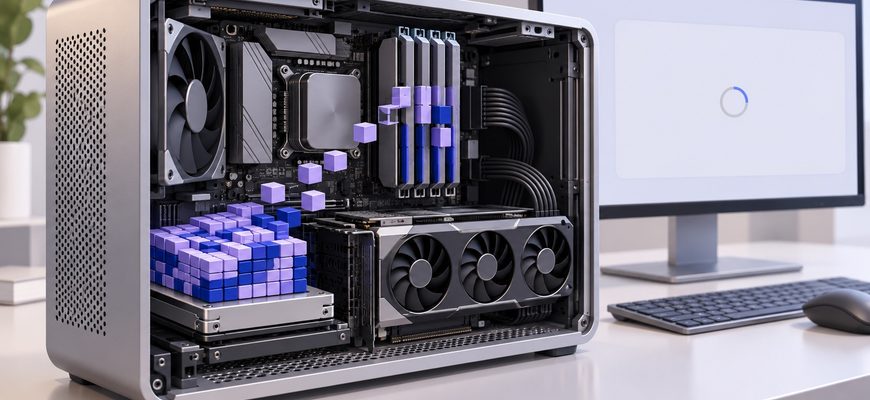
With a discrete GPU, loading may also involve copying weights into the card’s video memory. CPU-only and hybrid configurations place them differently. The details depend on the runtime, model format and hardware, so a diagram showing one mandatory SSD-to-RAM-to-GPU copy would oversimplify the process.
Loading strategy matters too. Hugging Face’s Big Model Inference documentation explains approaches that avoid holding a randomly initialized model and a complete second set of pretrained weights in memory at once. Loading a large model is a memory-management task as well as a file-reading task.
After weights are available, there may still be preparation work. The llama.cpp server documentation, for example, describes a warm-up operation using an empty run. That prepares execution; it is not reasoning about the message you just typed.
Same prompt. Different starting state.
Model not currently loaded — read left to right, or top to bottom on mobile
Model remains loaded between requests
The second load may borrow from the operating system
There are several ways for a repeat request to get faster. The model might still be loaded in the inference process. Alternatively, it might have been unloaded while some file data remained in the operating system’s file cache.
Those are different states. Cached file data can reduce storage reads during a subsequent load, but it does not necessarily preserve GPU allocations or the runtime’s prepared execution state.
Memory mapping adds another wrinkle. It lets a process map a file into its address space rather than treating loading as one explicit read of the entire file. The Linux mmap documentation describes this mapping and the optional prefaulting of pages. Depending on the loader and access pattern, some cost can be paid when data is first touched.
That is why “the file opened quickly” and “the model is ready to answer quickly” are different observations. Memory mapping does not make the underlying bytes disappear, and a warm file cache is not a guarantee that they remain available under memory pressure.
There is also a third kind of reuse: caching a previously processed prompt prefix. That saves some prompt computation. It should not be confused with either cached model-file pages or resident model weights.
Put a name to the delay before changing hardware
The Ollama generate API exposes separate timing fields in its response. They are more informative than a single stopwatch measurement of the chat window.
| API field | What it measures |
|---|---|
| load_duration | Time spent loading the model. |
| prompt_eval_duration | Time spent evaluating uncached prompt tokens. |
| eval_duration | Time spent generating output tokens. |
For a simple comparison, run the same short prompt twice using the same model and settings, without unloading the model between requests. Compare the reported stages. This is a suggested diagnostic procedure, not a benchmark performed for this article.
If loading dominates the first run and largely disappears on the next, startup explains much of that difference. If prompt processing dominates both, investigate input length and reusable context. If output generation is slow, focus on inference performance. The distinction between prompt processing and token generation remains important after loading is solved.
Repeating the same prompt may also benefit from prompt caching. Record that separately rather than assigning every improvement to the model staying loaded.
Keeping the model ready spends memory instead of time
Ollama’s FAQ documents keeping models loaded between requests, preloading them and controlling residency with the keep_alive parameter. It also documents a command for inspecting currently loaded models:
ollama psPreloading moves startup work earlier. Keeping a model resident avoids repeating a full load while it remains available. Neither makes the prompt processing or generation itself free.
For a concrete example, if llama3.2 is already downloaded, this request asks a locally running Ollama server to preload it and keep it loaded for ten minutes:
curl http://localhost:11434/api/generate \
  -H 'Content-Type: application/json' \
  -d '{"model":"llama3.2","keep_alive":"10m"}'
The trade-off is memory occupied while no answer is being generated. On a shared machine, keeping one large model ready reduces space for other applications and models. Available memory must cover more than the weights, including context-related state and working buffers; a model file fitting inside the advertised VRAM capacity is only a starting check.
If you use one model repeatedly, residency may be a worthwhile use of that space. If you switch between several large models, some loading overhead is part of the exchange. The goal is to decide when to pay it, with enough memory left for the workload.
A startup pause should be judged as startup. Once you separate it from prompt processing and generation, “my local AI is slow” becomes a much more useful description: the model takes time to become ready, or it takes time to do the work. Those lead to different fixes.