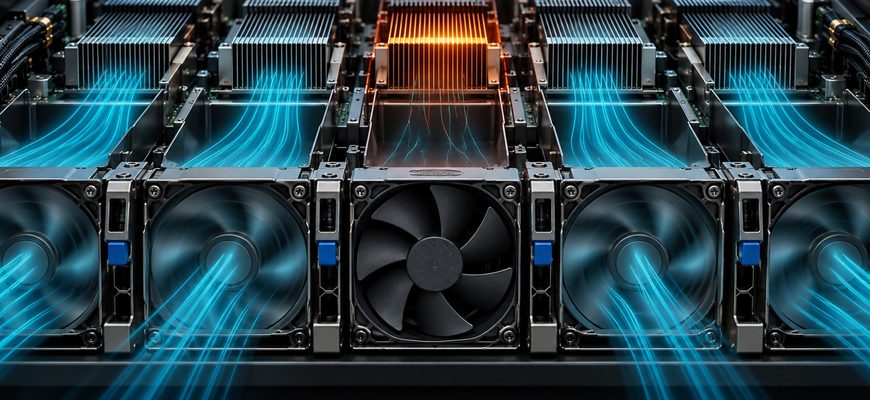
- The fan may be cooling hardware several components away
- Staying online can involve reducing the workload’s speed
- From a fan fault to slower useful work
- A temperature limit and a power limit are different clues
- Why a local slowdown can become a whole-job slowdown
- One slower GPU delays a shared model
- Check the fan event against the performance timeline
- Sources
A fan alarm appears on an AI server. The machine stays online, the model is still loaded, and requests keep arriving. Yet answers begin taking longer.
A failed fan can reduce the cooling available to a processor or accelerator. The remaining fans may compensate. If they cannot, thermal protection or platform power limits can reduce performance while keeping the system running.
The whole service can slow down even when only one component loses speed. Its importance depends on the workload: a slower CPU can delay preparation, while one constrained GPU can hold up work shared across several accelerators.
The fan may be cooling hardware several components away
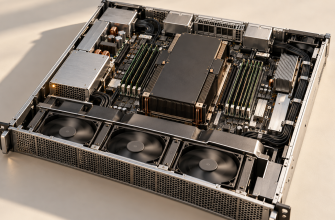
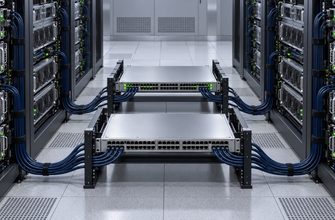
A server fan does not necessarily belong to the component sitting directly behind it. Chassis airflow is routed through an arrangement of fans, ducts, heat sinks and internal equipment.
Some data-center GPUs depend entirely on that system airflow. NVIDIA’s A100 PCIe product brief, for example, specifies a passive heat sink that requires airflow from the host system. Passive cooling here means the card has no dedicated cooling fan; air still has to move through its heat sink.
This makes a chassis fan part of the accelerator’s cooling design. Losing one can affect more than a small patch of the server. The outcome depends on the airflow arrangement and the cooling capacity left after the fault.
Our examination of heat removal inside a high-density AI rack follows the same dependency beyond the chassis: collecting heat at a chip is only one part of removing it.
Staying online can involve reducing the workload’s speed
Fan redundancy is intended to tolerate a failure under specified operating conditions. It does not establish that every configuration will deliver unchanged performance at every inlet temperature.
Lenovo documents this distinction in its first-generation ThinkSystem SR670 product guide. The server supports N+1 fan redundancy, meaning a spare fan’s worth of cooling capacity under the design’s stated conditions. The guide also says that a fan failure above the specified ambient threshold may cause the system to request emergency GPU power reduction.
That is a documented example from a now-withdrawn platform, not a threshold to apply to other servers. It demonstrates why “one fan failed” and “the server is still running” do not settle the performance question.
From a fan fault to slower useful work
-
01 → Cooling fault
A fan stops or underperforms
Available cooling changes. Management telemetry records the affected fan or module.
-
02 → Response
The system compensates
Remaining fans may increase speed. The cooling policy evaluates the operating conditions.
-
03 → Conditional limit
Performance may be capped
If required by temperatures or platform policy, CPU or GPU power and clocks are reduced.
-
04 → Application effect
Dependent work takes longer
A slowed component can delay an inference request or a synchronized multi-GPU task.
A temperature limit and a power limit are different clues
Thermal throttling reduces operating speed in response to temperature. A platform can also impose a power restriction as part of its cooling policy.
Dell’s PowerEdge thermal-design explanation describes increasing fan speed, then reducing processor power and frequency when cooling is insufficient. It also describes CPU power-capping behavior for fan-failure conditions. Exact policies depend on the server and configuration.
A temperature reading taken after that response may look acceptable because the limit is doing its job. Compare temperatures with clocks, power limits and event history. A cool-looking snapshot alone cannot tell you whether full performance remains available.
For NVIDIA GPUs, the nvidia-smi documentation distinguishes thermal slowdown, software power capping and external hardware power-brake events. Those labels should not be treated as interchangeable diagnoses. A power-brake event, by itself, does not prove that a fan caused it.
| Outcome | What may be happening | Evidence to compare |
|---|---|---|
| Normal task speed | Remaining cooling handles the current load. | Fan fault, stable component temperatures and comparable throughput. |
| Online, but slower | CPU or GPU operation is constrained. | Power limits, clocks, thermal or power events and request timings. |
| Uneven GPU activity | A slower participant may delay shared work. | Per-GPU clocks and a workload execution trace. |
| Work interrupted | Protection or service policy stops execution. | Platform logs, shutdown events and job recovery state. |
Why a local slowdown can become a whole-job slowdown
Multiple GPUs can cooperate on one model or training task. At points where the calculation requires results from other participants, faster devices cannot simply complete the shared step alone.
NVIDIA’s collective-operations documentation describes operations such as all-reduce, which combines values across participating devices. From that dependency, a practical consequence follows: if one participant produces required data later, it can delay dependent work elsewhere.
This does not mean every GPU lowers its own clock when one GPU slows. Nor does it apply equally to independent jobs running on separate accelerators. The application’s communication pattern determines how far the delay spreads.
One slower GPU delays a shared model
Before the fault: a model is split across four GPUs. Each generation step includes work and communication involving all four.
After the fault: suppose a fan failure leaves one cooling zone unable to support the same load. The platform constrains an affected GPU’s performance.
What the user notices: steps that need that GPU’s results take longer. Other GPUs may spend more time waiting, and answers arrive more slowly even though the server never went offline.
What remains available: while the processes continue running, model weights can remain loaded. Whether an interrupted request or job can recover after a later shutdown is a separate software question.
Hypothetical architecture and fault sequence. No particular server, measured slowdown, temperature threshold or guaranteed recovery behavior is claimed.
Check the fan event against the performance timeline
Start with the server’s management log and the fan identified by the alert. Match that timestamp to component temperatures, CPU and GPU clocks, power restrictions and application timings. Compare the same workload where possible.
Separate the symptoms. A longer wait before the first token and slower token generation are different measurements, as our guide to LLM latency and throughput metrics explains. A queue can also grow when a service completes less work per second.
If the hardware timeline does not match the slowdown, investigate other causes. Our guide to finding the actual inference bottleneck covers why memory, scheduling and workload changes can produce similar symptoms.
Follow the platform’s service procedure for the affected fan and cooling configuration. After repair, verify both cleared hardware events and performance under comparable load. A spinning replacement fan is useful evidence; restored cooling and useful task speed complete the check.