- One bad accelerator, many working neighbors
- Finding the failure before opening the machine
- Why a shut down is often the safer repair
- Power is shared even when work is separate
- Cooling hardware may bridge several components
- The software sees a node, not a loose GPU
- What actually happens during a maintenance window
- How one failure affects the wider AI cluster
- Sources and further reading
A GPU can be one failed component in a machine containing eight of them. Yet replacing that one part may require stopping the entire server. The reason is not that every accelerator broke. It is that physical access, electrical safety, cooling hardware and the shared GPU fabric often make the repair a server-level operation.
There is an important distinction between a removable PCIe card in a workstation and a densely integrated accelerator module in an AI training system. Serviceability depends on the exact chassis, GPU package and vendor-approved procedure. A field technician does not assume a component is hot-swappable simply because the machine has several power supplies.
One bad accelerator, many working neighbors
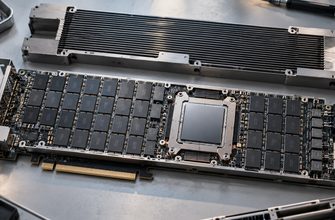
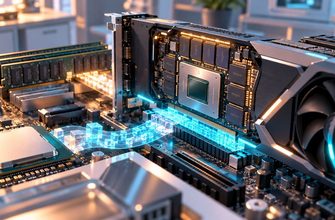
Multi-GPU AI servers package accelerators beside CPUs, memory, networking and complex power delivery. In some designs, GPUs are integrated on a shared baseboard with high-bandwidth interconnect hardware. NVIDIA’s HGX reference configurations describe eight GPUs on one baseboard in supported H100, H200 and B200 systems.
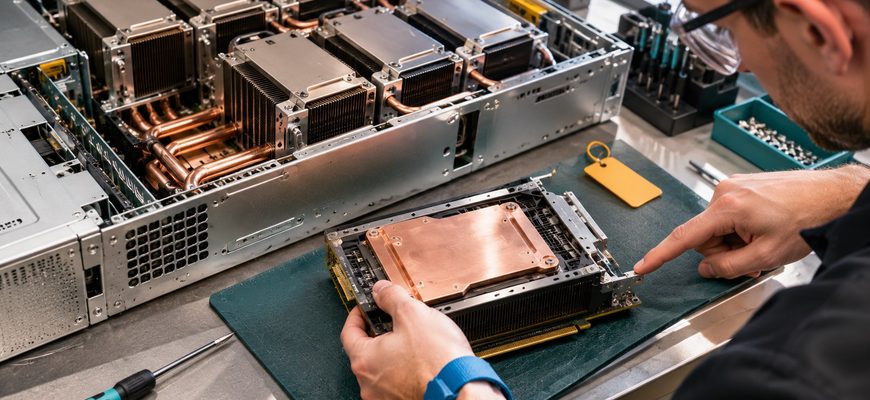
The GPU fault may be isolated electronically, but gaining physical access to it can require removing covers, airflow assemblies or other service components. Heat sinks and cold plates must be handled correctly. That is not work to perform while an energized compute node continues serving customers unless the manufacturer explicitly provides a supported live-service procedure.
Finding the failure before opening the machine
Engineers first distinguish a hardware failure from a driver fault, power event, fabric issue or workload-specific error. GPU health tools inspect memory errors, PCIe conditions, thermal limits and interconnect signals. NVIDIA’s Data Center GPU Manager guidance documents such monitoring; active diagnostics can help narrow a suspected fault.
Some apparent failures can be cleared without removing hardware. Others require further checks, vendor support or replacement. Diagnostic messages are evidence to investigate, not permission to open a running system. Firmware, drivers and fabric topology also influence whether the remaining GPUs are safe to return to production.
Why a shut down is often the safer repair
Power is shared even when work is separate
GPU modules may share high-current rails and management hardware. Touching connectors in a powered chassis can risk electrical damage or injury. Manufacturer service instructions and local safety procedures determine the correct shutdown and isolation sequence, not a general rule about hot-plugging servers.
Cooling hardware may bridge several components
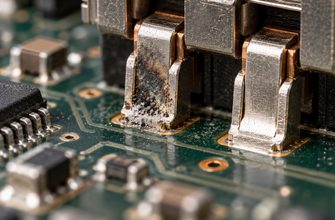
Dense systems often use elaborate heat sinks or liquid-cooled cold plates. Removing one module can disturb the cooling and mechanical attachment of neighbors. If a liquid loop must be opened, approved isolation, leak-control and recommissioning procedures become part of the repair.
The software sees a node, not a loose GPU
A training job may coordinate all accelerators through collective communication. If one GPU stops responding, the application may fail even though seven devices remain healthy. Moving the workload away from the node, draining new jobs and then shutting down the host protects both the repair team and the cluster’s state.
What actually happens during a maintenance window
Operations teams identify the affected node and GPU, preserve logs, stop or migrate workloads where possible, and confirm that the node is out of service. Approved staff shut down and isolate the equipment, replace the supported part, restore cooling and cabling, and run validation before returning the machine to the scheduler.
In an orchestrated fleet, a spare node can absorb service traffic during this procedure. A single-node deployment has fewer choices: even a short repair may mean a visible outage. This is why component redundancy, spare capacity and workload checkpointing are just as important as buying reliable accelerators.
NVIDIA’s DGX H100/H200 service manual makes a practical point: there are component-specific procedures and safety prerequisites. For a concrete powered-down example, NVIDIA’s DGX Station A100 display-GPU procedure explicitly instructs a power-off.
How one failure affects the wider AI cluster
The rack around the machine may continue working. A properly configured scheduler can exclude the faulty host and place new work on healthy nodes. That assumes enough spare accelerator memory, model replicas or checkpointed training progress are available. An eight-GPU node being unavailable does not automatically imply eight-GPU capacity exists elsewhere.
Our earlier article on an AI-cluster switch failure examines another shared dependency. And why idle AI servers still draw power explains why a powered machine is not the same thing as a machine doing useful work.
The real cost of a GPU failure is not just the replacement part. It is the period during which a tightly integrated server must be removed from useful service, inspected and trusted again.