- PCIe Connects the GPU to the System. It Is Not the GPU’s Internal Memory Bus.
- Model Loading Can Be Sensitive to PCIe Even When Generation Is Not
- Loading
- Generation
- What Changes When the Model Does Not Fit in VRAM?
- CPU Offloading Does Not Mean Every Weight Crosses PCIe for Every Token
- Three Ways the Same PCIe Slot Can Behave Differently
- Does PCIe 5.0 Make Local LLMs Faster Than PCIe 4.0?
- Why Multi-GPU Inference Makes the Interconnect More Interesting
- How to Check Whether PCIe Is Limiting Your LLM
- Confirm the model fits in VRAM
- Separate loading from generation
- Measure a steady-state workload
- Change only the link condition
- Repeat with hybrid execution
- Look for a repeatable difference
- What Should You Upgrade First?
- PCIe Matters When Your Workload Needs to Cross It
You install a powerful GPU in a second PCIe slot, load a local language model, and discover that the card is running with fewer PCIe lanes than expected. The obvious concern is performance. If the GPU has a narrower connection to the CPU, will every generated token arrive more slowly?
Not necessarily. A GPU can generate tokens efficiently even when its PCIe connection is relatively modest, provided the model and its active working data remain in GPU memory. In another configuration, that same connection can become a serious limitation because data repeatedly moves between system RAM and VRAM.
The distinction is not simply PCIe 4.0 versus PCIe 5.0, or x16 versus x4. It is the difference between transferring a model into GPU memory and depending on the CPU-to-GPU connection during inference.
To understand whether PCIe speed matters for your local LLM, you need to follow the actual movement of model weights, intermediate data, and inference state.
- PCIe bandwidth and GPU memory bandwidth are different resources.
- A fully GPU-resident model does not normally need its entire weight set transferred across PCIe for every token.
- Model loading and steady-state generation can have very different PCIe requirements.
- CPU offloading, managed-memory migration, and multi-GPU communication can make the interconnect more important.
- The useful measurement is not PCIe generation alone, but whether changing link bandwidth changes your real workload.
PCIe Connects the GPU to the System. It Is Not the GPU’s Internal Memory Bus.
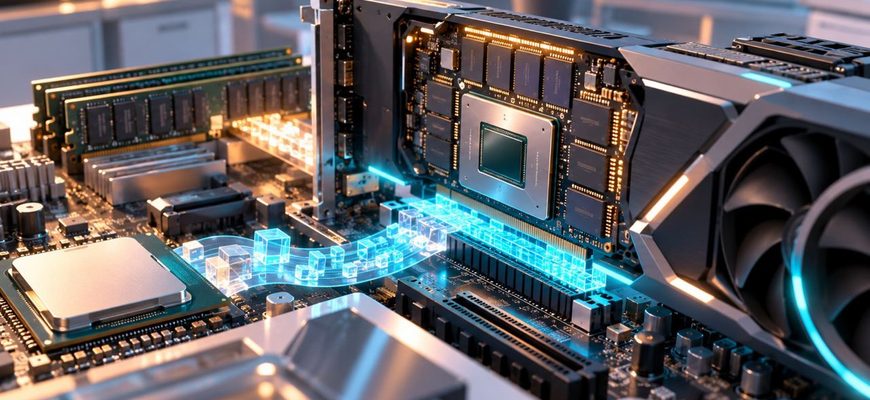
A discrete graphics card has its own memory, typically called VRAM. The GPU accesses that memory through an internal memory interface designed for high-throughput computation.
PCI Express serves a different purpose. It connects the graphics card to the rest of the computer, including the CPU and system memory.
This distinction explains why the PCIe link does not automatically determine token generation speed.
If the model weights are already resident in VRAM, the GPU can repeatedly access them through its local memory subsystem. Those weight reads do not require copying the entire model from system RAM across PCIe on every forward pass.
This is a simplified physical path, not a claim that every runtime copies data in exactly the same sequence. Some configurations use memory mapping, pinned host memory, managed allocations, or other transfer mechanisms.
The important distinction remains: PCIe moves data between parts of the machine, while the GPU’s local memory interface serves the GPU’s repeated reads and writes once data is resident there.
Model Loading Can Be Sensitive to PCIe Even When Generation Is Not
Consider a quantized model that fits completely in GPU memory.
Before inference begins, its weights must become available to the GPU. Depending on the runtime, this can involve reading model data from storage, preparing allocations, and transferring data into VRAM.
A slower host-to-device connection can increase the transfer portion of startup time. But once the weights are resident, generating another token does not normally require transferring those same weights across PCIe again.
That means two machines can show noticeably different model-loading times yet deliver similar steady-state generation performance.
The reverse is also possible: two systems may load a model at similar speeds but behave differently during inference because one configuration repeatedly depends on host memory.
Loading
Weights and allocations are prepared. Storage performance, CPU work, memory allocation, and host-to-device transfers may all contribute to startup time.
Generation
The GPU repeatedly processes the resident model and active inference state. Local VRAM bandwidth, compute kernels, attention work, and runtime behavior become central.
This is why a single performance number can mislead. If you measure the entire time from launching a program to receiving the final answer, you combine loading, prompt processing, and generation into one result.
For PCIe analysis, those phases should be separated whenever the runtime makes that possible.
What Changes When the Model Does Not Fit in VRAM?
The situation becomes more complicated when the complete workload cannot remain on the GPU.
A runtime such as llama.cpp can distribute model work between CPU and GPU. Some layers may execute on the CPU using system RAM, while others execute on the GPU using VRAM.
This is not the same as streaming the entire model across PCIe for every token. The runtime may keep different layers resident in different memory locations and transfer intermediate tensors between execution stages.
Performance then depends on several connected costs: CPU execution, system memory bandwidth, GPU execution, transfer volume, and synchronization between devices.
The PCIe connection can become part of the bottleneck, but it should not automatically receive all the blame for slow hybrid inference.
Our earlier investigation of CPU offloading for local LLMs explains why fitting a larger model through hybrid execution often comes with a substantial performance trade-off.
CPU Offloading Does Not Mean Every Weight Crosses PCIe for Every Token
The actual data movement depends on the inference engine and its placement strategy. A split-layer configuration can keep CPU-assigned weights in system memory and GPU-assigned weights in VRAM.
Other approaches, including some forms of managed-memory oversubscription, may migrate memory pages or access host-resident data as execution proceeds.
These approaches have different performance characteristics. Treating them as one generic form of “offloading” hides the mechanism that matters most.
Three Ways the Same PCIe Slot Can Behave Differently
A narrower PCIe link does not produce one universal performance penalty. Its impact depends on what the application asks the GPU to do.
NVIDIA’s CUDA documentation explicitly distinguishes physical host memory from GPU memory and explains why data locality matters. Managed-memory features can simplify access across processors, but they do not eliminate the cost of moving data between different physical memory locations.
This is particularly important when evaluating claims that system RAM can function as additional GPU memory. Addressability and useful performance are not the same thing.
Does PCIe 5.0 Make Local LLMs Faster Than PCIe 4.0?
PCIe 5.0 provides a higher theoretical transfer rate than PCIe 4.0 for the same lane count. But higher available bandwidth improves application performance only when the application needs that bandwidth.
A fully resident model running on a GPU may see little change in steady-state generation when the PCIe link is upgraded, because the dominant repeated memory accesses happen inside the card.
A workload that frequently transfers large amounts of data between host and GPU may respond differently.
The same logic applies to lane count. A card running at x8 or x4 has less theoretical link bandwidth than the same card operating at x16 of the same PCIe generation. That is a real hardware difference, but its application-level impact must be measured.
PCIe specifications describe a link’s transfer capability. Real application performance also depends on transfer size, protocol overhead, memory placement, driver behavior, synchronization, and the amount of useful work performed between transfers.
Why Multi-GPU Inference Makes the Interconnect More Interesting
A second GPU introduces another question: where are the model weights and intermediate tensors located?
If work is divided across multiple GPUs, the runtime may need to move intermediate results between devices. The amount and frequency of communication depend on how the model is partitioned.
In a layer-wise split, different groups of layers can execute on different devices. In more communication-intensive forms of parallelism, devices may need to exchange data more frequently during a forward pass.
PCIe topology and available peer-to-peer transfer paths can therefore become important. Some systems offer additional GPU interconnect capabilities, but those capabilities vary by hardware and configuration.
A second GPU is not automatically equivalent to one larger GPU with pooled VRAM. The runtime still has to decide where computation happens and how data moves between devices.
This is a different problem from a single GPU running a fully resident model, and it deserves a separate benchmark.
How to Check Whether PCIe Is Limiting Your LLM
Before changing hardware, identify your actual GPU link configuration and establish a repeatable inference baseline.
On an NVIDIA GPU running under Linux, the following command can show PCIe link information:
nvidia-smi -q -d PCIELook for the reported PCIe generation and link width. Be aware that current link characteristics can change with power-management state, so an idle reading should not automatically be treated as the maximum available configuration.
You can also inspect the PCIe devices detected by Linux:
lspci -nn
For more detailed PCIe capability information, use the verbose device view available through lspci. Access to some configuration details may depend on system permissions.
Then test the model itself. Keep the model, quantization, context configuration, batch settings, GPU offload settings, and runtime version consistent.
Confirm the model fits in VRAM
Check actual GPU memory usage during inference, not just the model file size. Leave room for the KV cache and runtime allocations.
Separate loading from generation
Record model startup time separately from prompt processing and token generation. Otherwise, transfer-related startup costs can distort the result.
Measure a steady-state workload
Run the same prompts repeatedly after the model is loaded. Compare generation throughput and latency rather than relying on a single end-to-end timing.
Change only the link condition
If your hardware supports a safe, documented way to test different link configurations, hold the rest of the system constant. Do not assume BIOS changes are harmless or available on every motherboard.
Repeat with hybrid execution
If you use CPU offloading, measure it as a separate configuration. A fully resident GPU workload and a split CPU/GPU workload should not be treated as equivalent.
Look for a repeatable difference
If a narrower link increases loading time but barely changes generation, PCIe is not the main steady-state limit in that configuration. If throughput changes materially, investigate transfer behavior and memory placement.
What Should You Upgrade First?
If your model does not fit in VRAM, increasing PCIe bandwidth is unlikely to be the first or most reliable solution. A GPU with enough memory to hold the intended workload may remove the need for some host-device dependencies altogether.
If the model already fits and generation is slow, examine GPU utilization, VRAM bandwidth, compute performance, quantization, attention workload, and runtime configuration before blaming the PCIe slot.
If you are running CPU/GPU hybrid inference, investigate both sides of the machine. Our article on memory bandwidth and CPU-based local LLM inference explains why adding processor cores does not necessarily improve throughput when the memory subsystem is the constraint.
If you are planning a multi-GPU workstation, verify motherboard slot wiring, electrical lane allocation, device spacing, cooling, power requirements, and the parallelism strategy supported by your inference engine.
A slot that physically accepts an x16 card may not provide sixteen electrical lanes. That detail belongs in the hardware decision before purchasing another GPU.
PCIe Matters When Your Workload Needs to Cross It
The mistake is treating PCIe bandwidth as if it were the speed of the GPU’s own memory.
A model that stays resident in VRAM can generate tokens without repeatedly transferring its complete weights through the host connection. A workload that depends on host memory, migration, or communication between GPUs may place much greater pressure on that connection.
Before paying for a faster PCIe platform, measure the difference between loading and generation, confirm where the model actually resides, and identify what data must cross the link during inference.
The most valuable upgrade is the one that removes your real bottleneck—not the one with the largest theoretical bandwidth number.