A good local AI machine is not simply “the computer with the fastest GPU.” The right build depends on model size, context length, speed expectations, power limits, and whether you want one user or several people to connect at once. Understanding memory is the fastest way to avoid an expensive mistake.
Start with the model, not the parts
Local models are usually distributed in quantized formats such as GGUF. Quantization reduces memory use, but the complete model still has to live somewhere while it runs. A 7–8B model at 4-bit quantization is comfortable on modest hardware. Models in the 20–32B range need much more memory, while 70B-class models quickly become workstation territory.
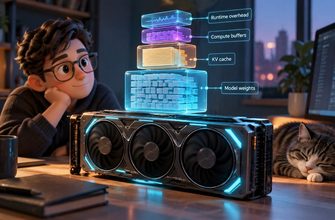
Before buying anything, choose two or three models you genuinely plan to use. Check their file sizes, add headroom for the context window and runtime overhead, and decide what response speed feels acceptable.
VRAM: the main speed limit
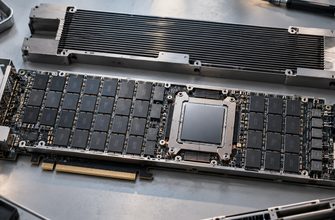
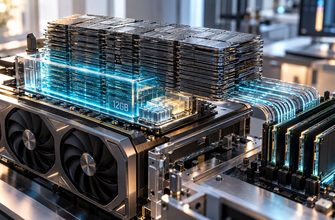
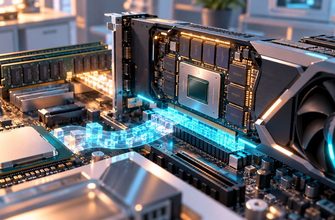
When the full model fits in GPU memory, generation is usually much faster. That makes VRAM the most important specification for a responsive local chat system. Raw gaming performance is less useful than memory capacity and bandwidth.
An 8 GB GPU can run smaller quantized models, but it leaves little room for long contexts. Twelve to sixteen gigabytes is a more flexible starting point. Twenty-four gigabytes opens the door to larger models, higher-quality quantization, and experimentation with image generation or speech models.
If the model is larger than available VRAM, tools such as llama.cpp and Ollama can offload some layers to system memory. This works, but speed falls because data must move between the CPU, RAM, and GPU.
System RAM: capacity for larger experiments
RAM matters even when you own a GPU. The operating system, model loader, vector database, and web interface all need memory. CPU-only inference also loads the model into RAM.
For a simple 7–8B setup, 16 GB is the practical minimum, but 32 GB is far more comfortable. Choose 64 GB if you want to run larger models, RAG pipelines, several services, or multiple models without constant unloading. For 70B-class CPU or mixed-memory experiments, 96–128 GB may be justified.
CPU: important, but not always the star
For GPU-heavy inference, the CPU mainly handles tokenization, data preparation, and general server tasks. A modern six- or eight-core processor is enough for many single-user systems. CPU-only inference benefits from high memory bandwidth, strong vector instruction support, and more cores—but adding cores does not scale perfectly.
Do not overspend on a flagship CPU if it forces you to buy a smaller GPU. For most local LLM builds, more VRAM produces a clearer improvement than a small increase in CPU benchmark scores.
Storage, cooling, and power
Models accumulate quickly. A 1 TB NVMe drive is a sensible starting point; 2 TB is better if you test many checkpoints. Fast storage shortens loading time, although it does not significantly change token generation after the model is in memory.
Sustained workloads also expose weak cooling and noisy power supplies. Choose a case with clean airflow and a quality PSU sized for the GPU. A server that is quiet and efficient is more useful than a marginally faster machine you do not want running.
Three balanced build profiles
Entry setup
Use an existing modern PC with 32 GB of RAM and an 8–12 GB GPU. This is ideal for learning Ollama, running 7–8B models, lightweight coding assistance, and a small private RAG library.
Practical sweet spot
Pair a mainstream eight-core CPU with 64 GB of RAM, a 16–24 GB GPU, and a 2 TB NVMe drive. This supports larger quantized models, longer contexts, image generation, and a reliable always-on interface.
Large-model workstation
Choose 96–128 GB of RAM and one or more GPUs with enough combined VRAM for the target model. Multi-GPU support varies by runtime, so confirm the software path before buying a second card. Pay close attention to PCIe spacing, power delivery, and cooling.
A simple decision rule
If speed matters, maximize the amount of the model that fits in VRAM. If capacity matters more than speed, prioritize system RAM and accept partial GPU offload or CPU inference. If the machine will stay on all day, include electricity, noise, and heat in the budget.
The best local AI server is not the biggest build. It is the smallest reliable machine that runs your real models at a speed you enjoy using.